Why message text is visible on the lock screen and how to fix it

Why message text is visible on the lock screen and how to fix it: we analyze notification settings, show how to hide previews without losing convenience, and provide a calm checklist in case private correspondence has already been seen by someone.
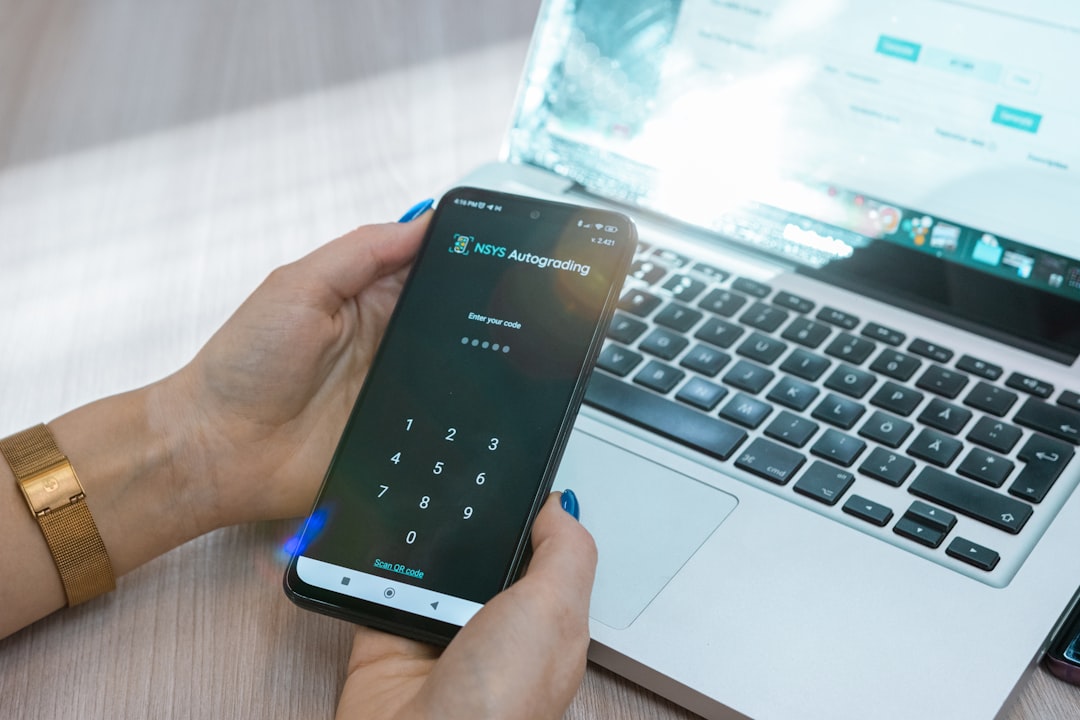
a person holding a cell phone in front of a laptop
Photo: NSYS Group

Why message text is visible on the lock screen is usually not a malfunction, but a standard notification setting. Your phone tries to be helpful by showing that a new message has arrived, who sent it, and part of the text so you can react quickly. However, in some situations, this is unnecessary exposure: your smartphone is lying on a table, you’ve handed it to someone else, and personal correspondence is already visible without unlocking.

The good news is that in most cases, this is solved without complicated actions. You don't need to 'fix' the phone, but rather configure how much it shows on the locked screen. Below is a calm plan: first, we will figure out why this happens, then how to hide unnecessary details without losing convenience.

Why your smartphone shows message text immediately

The lock screen and the app itself operate on different levels. A notification can appear on the screen even if access to your correspondence inside the phone is protected by a passcode, fingerprint, or facial recognition. This is normal: the system simply displays a preview so you don't have to open every chat manually.

The problem begins where convenience intersects with privacy. If content display is enabled, anyone who picks up the device can read part of the message. Therefore, the issue usually boils down not to the app, but to notification and privacy settings.

Check three things:

  • whether the notification text is shown on the lock screen;
  • whether the sender's name is visible along with the content;
  • whether behavior differs between various apps and individual chats.

Sometimes a user notices that some messages are hidden while others are visible. This is normal: different apps and different types of notifications can behave differently.

How to hide message content from others on your phone

The most reliable option is not to turn off notifications entirely, but specifically to remove text from the lock screen. Then you will still see that a message has arrived, but the content will not be visible to others.

Look for parameters in the phone's notification section. Usually, there are options like these:

  • show all notifications;
  • hide text on the lock screen;
  • show only the app icon;
  • do not show notifications on the lock screen.

If you need a reasonable balance, choose the intermediate option: the icon and app name remain, while the text is hidden. This way, you don't lose control over incoming messages and don't create unnecessary risk when your phone is lying near other people.

Another important step is the unlocking mechanism itself. A secure passcode, fingerprint, or facial recognition helps not only with system entry but also with daily privacy. The easier it is for a stranger to open the device, the higher the risk of someone accidentally seeing too much.

It is also useful to check the time until auto-lock. If the screen turns off too late, notifications remain in view longer than necessary. It is better to slightly shorten this interval if the phone often lies on your work desk, in a car, or in a bag.

Common mistakes:

  • turning off notifications completely and then missing important messages;
  • configuring text hiding only for one app while forgetting others;
  • looking at the notification icon but not checking the preview;
  • thinking that phone protection and lock screen protection are the same thing.

If you want to find the necessary item quickly, don't look for universal tips by trial and error — it is easier to go through the phone's settings step by step. Usually, the required option is found next to screen lock, notification, or privacy parameters.

What to do if someone reads messages from the lock screen

If you have already noticed that personal text is visible without unlocking, start with a simple checklist:

  1. Check if full notification text display is enabled.
  2. Disable preview for sensitive apps.
  3. Strengthen your device lock passcode.
  4. Check if the screen stays active for too long before auto-locking.
  5. See if notifications are being duplicated on smartwatches or other connected devices.

It is important not to confuse two situations. One thing is the text being visible on the lock screen. Another is someone actually gaining access to your phone. If correspondence opens only after unlocking, the problem is likely in the notifications, not in full device access.

If in doubt, check basic protection: ensure no one knows your code, no unauthorized fingerprint is added, and that overly convenient notification display modes are not enabled on the external screen. A calm check often resolves anxiety faster than endless setting adjustments.

Separately, look at which notifications are actually needed on the lock screen. For urgent service messages, you can leave the preview on, while for personal chats, you can hide the text. Such an approach provides both convenience and control.

If you want to strengthen the protection of your correspondence specifically, it is useful to enable an additional password for access to individual chats or app sections. This does not replace lock screen settings, but adds another layer of peace of mind.

For convenience, keep a simple principle in mind: first decide what should be visible, then who can see it. When these two questions are separated, phone privacy becomes significantly easier to manage.

Your personal PING: how to set up comfortable communication

Notifications should help, not reveal too much. When you set up exactly what is visible on the lock screen once, the phone begins to work more discreetly: it informs you about what is important without making personal correspondence available to accidental glances.

At PING, we emphasize a clear signal: the user should quickly understand what is happening in the conversation. This is the right principle for privacy: a signal is needed, but extra text is not. If a notification helps you stay oriented but doesn't expose you at an awkward moment, then your settings are well chosen.

The main thing is not to search for perfect protection, but to assemble a working minimum: hide previews, strengthen lock mechanisms, check connected devices, and maintain convenience without prying eyes.

Communicate calmly: important messages will remain with you, not in full view of everyone else.

Frequently asked questions

Why is the message text visible on the lock screen if I didn't set it that way?

Because it is a standard notification feature: the system shows a preview for convenience, not because of an error. This is usually changed in privacy and lock screen settings.

How can I hide message content from others on my phone while still being able to view them quickly later?

You can hide text in the notification settings, while leaving only the icon for convenience. It is also better to check the unlocking method — passcode, fingerprint, or face — to ensure you don't lose comfort.

What should I do if someone is reading messages from the lock screen?

First, disable text display in notifications, then check your lock passcode and individual app settings. If no one is getting access to your phone, the problem is usually just the preview on the screen.

Was this article useful?

Your feedback helps make PingBook more precise.

Share this article

Related articles

Следующие истории PingBook

person holding black iphone 4
Приватность и безопасность 8 min read

How to sign out of your account on all devices

Step-by-step instructions on how to sign out of your account on all devices: when you need it, how to check active sessions, what to do afterward, and how to strengthen protection.

Read article
All articles

How to organize messaging with colleagues so there is no chaos

How do you organize messaging with colleagues so the chat does not turn into chaos? We break down a simple system: how to write briefly, record agreements, and separate personal from work.

A close-up of a cellphone keyboard
Photo: Samuel Angor
How to organize messaging with colleagues so there is no chaos

Modern work messaging often feels like an endless stream, where important tasks sink under a pile of random remarks. When a team discusses several issues at once, context gets blurred, deadlines slip, and participants lose the thread of the conversation. Chaos in chats is not just inconvenient — it is a real loss of time that makes it harder to work efficiently. Communication needs a system that helps each participant see what is currently a priority, what requires an immediate response, and what has already been resolved.

Why chaos grows in a work chat: 5 signs the system is no longer working

It is fairly easy to tell when work messaging has become chaotic. Most often, it happens gradually, until one day you realize you spend more time searching for the right file than doing the task itself. Signs of chaos in a work chat:

  • One conversation smoothly turns into a discussion of three different projects.
  • Important agreements get lost in the endless feed, and no one remembers who is responsible for what.
  • Participants ask the same questions because they missed earlier messages in the stream.
  • There is no clear deadline: it is unclear when the task should be completed and whether feedback is needed now.
  • The chat turns into a dump of notifications, causing colleagues to ignore even urgent requests.
How to organize messaging with colleagues so there is no chaos: a simple daily structure

For work messaging without chaos to become reality, the process needs structure. Try dividing communication into logical streams: for example, a separate chat or thread for urgent questions, long-term tasks, and informal communication. The main rule is to record the result after every discussion. If you understand how to structure work messaging through simple rules, the amount of information noise drops dramatically.

How to write messages so people reply: a short-response formula

The secret to productive communication lies in clarity. To make sure your message is noticed and answered on time, use a simple formula: goal plus context plus next step. Do not force a colleague to guess what you want from them. Write briefly, specifically, and ask a clear question that requires a definite answer. Often the problem is not a colleague’s inattention, but that the task is phrased too vaguely. How to write messages so they get replied to right away is the foundation to start with when reshaping your digital habits.

How to avoid losing the point of a discussion in a long conversation

In long dialogues, it is important to pause in time and sum things up. If the discussion drags on, do not be afraid to recap what has been said. Record agreements as soon as a decision is made. How to record agreements after a chat discussion is a skill that saves hours otherwise spent on repeating questions and clarifying details.

Why it is important to separate personal and work chats

Mixing personal and work communication creates a constant “always available” state, which leads to quick fatigue. Work communication should have clear boundaries. Separating channels makes it possible to turn off work notifications after the day ends, preserving mental calm. This is not just a matter of convenience — it is a matter of digital hygiene.

Common mistakes in work messaging and how to fix them

The most common mistakes are lack of clarity, combining different tasks into one block of text, and not including a call to action. Many people try to sound polite, but do it so vaguely that the meaning of the request gets lost. How to write briefly and clearly in work messaging is the main answer to chaos in chats.

PING block: how to keep a clear signal in team messaging

Communication tools can either make life more complicated or simpler. At Ping, we focus on a clear signal: the user should quickly understand what is happening in the conversation. Thanks to a structured approach to data delivery and display, team messaging becomes predictable. When the system is tuned for a clear signal and a fast response, chaos simply does not have time to form, because each participant understands their area of responsibility and deadlines.

What to do today: a short checklist for the team

To bring order today, start small:

  • Agree with colleagues where you discuss urgent tasks and where you discuss ongoing ones.
  • Build the habit of writing a summary after every important discussion.
  • If a task takes time, set the deadline right away so you do not create anxiety.
  • Stop sending empty messages (“Hi, are you there?”) — get straight to the point.

Organizing your workspace in the digital world takes discipline, but the result — calm work without unnecessary noise — is worth the effort.

Frequently asked questions

How can you tell that work messaging has already become chaotic?

Signs of chaos include mixed topics, important decisions getting lost in the feed, no deadlines, and questions that no one answers because of information noise.

When is it better to send a message, and when is it better to have a call about work?

If the issue requires a long discussion or you feel the conversation has stretched into dozens of messages without results, it is better to have a call.

How do you write messages so people reply?

Use the formula: goal, context, and one specific next step. Do not overload the text with unnecessary details.

How do you avoid losing the point of a discussion in a long conversation?

Be sure to add interim summaries after each important stage of the discussion and record agreements in a separate pinned message.

Why is it important to separate personal and work chats?

Separation helps maintain work boundaries, lower stress, and avoid being distracted by work during rest time.

PingBook

Следующие истории PingBook

Why someone read your message and didn't reply: should you panic?

Why someone might have read your message and not replied: we break down the real reasons for silence, how not to overthink, and how to write more calmly to get answers without unnecessary tension.

woman in white sweater holding black smartphone
Photo: Clay Banks

Why someone might have read your message and not replied is a question that easily turns a casual conversation into an internal detective story. The "read" status is visible, yet there is no reply. Immediately, theories emerge: they are offended, they lost interest, or they are stalling on purpose. But more often than not, the reality is much simpler.

Silence after reading isn't always about how they feel about you. Sometimes it is about being busy, tired, catching them at an inconvenient moment, or simply a habit of replying later. This is precisely why it is important not to jump to conclusions: digital communication has become fast, but people still live in the offline world—commuting, in meetings, driving, with children, standing in lines, surrounded by noise, and in a hurry.

Why people don't reply to messages: 5 real reasons

When you see the read status with no reply, it is not proof of being ignored. Here are the most common reasons.

  1. Reading on the go. They opened the message between tasks, understood the meaning, but set it aside until they could write a proper reply.
  2. The reply requires effort. People react quickly to a short "yes," but take longer to reply to questions involving choices, dates, or emotions. People often stall if they don't want to reply in a rush.
  3. Notifications and the screen can be misleading. The message might have been seen in a preview, on a locked screen, or in the notification list. Technically, it is already marked as read, but the person still hasn't had the chance to reply.
  4. The recipient is tired of chatting. Sometimes a person simply lacks the energy to continue a dialogue right now. This is not always about you.
  5. Procrastination has become a habit. Many people read to ensure they don't miss something important and then forget to return to the reply. It is awkward, but quite common.

Therefore, to the question of why someone might have read a message and not replied, the honest answer is this: there are more reasons than what is visible from the outside. And far from all of them are unpleasant.

Assessing your state: how to stop overthinking

Anxiety often grows not from the silence itself, but from the constant checking of the status. You look again, then once more, then you start reading between the lines. This is how digital anxiety takes over.

Try this short algorithm:

  • State the fact. The fact is simple: the message has been read, and there is no reply yet.
  • Separate fact from assumptions. "I am being ignored" is a conclusion, not evidence.
  • Take a pause. If the topic is not urgent, do not check the status every 5 minutes. It is better to set a time when you will revisit the matter.
  • Focus on your own tasks. A reply often comes faster when you stop keeping the correspondence at the center of your attention.
  • Compare the importance. If the question is truly urgent, it is better to write again calmly and concretely instead of waiting and guessing.

This approach reduces tension and helps prevent confusing a pause with a rejection. If you are interested in how statuses work, it is useful to look at the material: What do the sent, delivered, and read statuses mean in messages.

How PING helps maintain connection without extra questions

When communication becomes clearer, there are fewer reasons for anxiety. That is the point of clear communication: not forcing someone to guess what you meant and not leaving them waiting without guidance. At PING, we emphasize clear statuses: a user should quickly understand what is happening with their message.

This doesn't eliminate the human factor, but it helps remove unnecessary noise. If a message is short, precise, and unambiguous, it is easier to reply to. If a specific step is needed, it is also visible immediately. The clearer the signal, the less room for speculation.

Another useful guideline is not to mix personal anxiety with the actual content of the dialogue. Sometimes the problem isn't that you weren't heard, but that the question was too general or came at an inconvenient time. For these cases, it is helpful to see how to formulate business-like and calm messages: How to write messages so that they are answered immediately.

Checklist: how to write to get replies faster

If you want to spend less time hanging in anticipation, a polite message format helps more than pressure.

  • Write one thought at a time. Do not hide an important question inside a long paragraph.
  • Immediately indicate what is needed. A reply, a choice, confirmation, time, or a comment.
  • Provide context. A few words about the situation save a lot of time.
  • Avoid an accusing tone. Phrases like "why are you silent" almost always harm the connection.
  • If the question is urgent, say so. Then the person understands the priority.
  • If it is not urgent, give them space. This is also part of digital etiquette.

And yes, sometimes the best answer is not a new text, but a pause. People reply more willingly when they don't feel pressured.

If you are worried not only about a specific reply but also about the general pace of correspondence, it is useful to read about how to distinguish between a regular delay and a real issue with statuses: What it means if a message is delivered but not read.

The calm conclusion is simple: why people don't reply to a message is not always a story about you. It is usually about the moment, fatigue, and the day's priorities. The less we make up stories for someone else, the easier it is to maintain a normal tone and protect your nerves.

And if you want to make your correspondence less of a guessing game, start with clear phrasing, transparent statuses, and a calm pace of communication.

Frequently asked questions

Why did they read it and remain silent if we chat frequently?

Not necessarily. The "read" status means the message was seen, but the person might not have the time, energy, or appropriate moment to reply.

Does this mean I am being ignored?

No, one status is not proof of being ignored. Sometimes people postpone replying, read on the go, or simply do not manage to return to the dialogue.

Can a message appear as read if I haven't opened it?

Yes. Sometimes text is visible in a notification or preview, and the person has already understood the meaning of the message without opening the chat separately.

PingBook

Следующие истории PingBook

Verification codes are not arriving: how to quickly restore access

Verification code not arriving? We explain why this happens, what to check in your phone and connection settings, how to fix a delay, and what to do so you do not lose access to your account.

white printer paper beside silver laptop computer
Photo: Markus Winkler
Verification codes are not arriving: how to quickly restore access

The situation when a verification code does not arrive on your phone is familiar to many. You try to sign in to an account or confirm an action, but there is silence in response. In a world where most services are tied to a phone number, such a delay can be stressful. The main thing is to stay calm, because most often the cause is some simple everyday or technical detail that can be fixed in a couple of minutes.

In short: why a verification code may not arrive

When you ask why verification codes do not arrive in messages, it is important to understand that this is rarely caused by a serious failure. Most often a verification code does not arrive because of connection issues, device settings, or temporary delays on the carrier’s side. To understand what to do if the code does not arrive, it is worth dividing the causes into three groups: network issues, phone settings, and service restrictions.

Why this problem has become especially important now

Today, verification codes are the main line of defense. They provide account security, confirm a sign-in to the service, and verify any critical action confirmation. Since we perform dozens of digital operations a day, waiting for a code has become a bottleneck. It is important to have a clear action plan at hand so you do not waste time guessing.

Scenarios: the code did not arrive, arrived late, or went to the wrong number

Scenarios can differ. Sometimes the code arrives with a delay — unpleasant, but not critical. Sometimes the code does not arrive at all, and then you need to check connection settings. It also happens that the code is sent to the wrong phone number entered during registration. Any message delay can make us nervous, but most problems are solved by simply checking the device status.

3-minute checklist: what to check on your phone and in your account

If you are wondering what to check if the code does not arrive, go through this list:

  • Phone number: make sure you entered it without typos and with the correct country code.
  • Network on the phone: check the signal level, try turning Airplane mode on and off.
  • Power saving: sometimes strict power-saving modes block message delivery in the background.
  • Message blocking: check the Spam folder and the SMS filtering settings.
Where code delivery usually breaks: phone, network, service, or number

SMS delivery problems are usually divided into three levels. First, the mobile carrier may temporarily delay incoming messages from short numbers. Second, phone settings (for example, an unknown-number filter) may hide the message. Third, if a message from a specific service does not arrive, there may have been a temporary failure on its side.

Typical mistakes that keep the code from arriving

The most common sign-in mistake is to request the code again after a couple of seconds. Repeated requests only overload the system and slow delivery down. Another cause is an incorrect phone number or an active message filter that mistakenly sent the message to the archive.

What to do if you need the code urgently

To successfully restore access, give the system some time. If sign-in confirmation did not work, wait 5–10 minutes. Use a backup sign-in method if the service offers one. Remember: account security comes first; never share the code you received with strangers.

If messages arrive late, check similar causes

Often the problem is not the absence of a code, but a general delivery delay. We explained separately why messages arrive late, how delivery statuses are related, and why network issues occur. This will help you better understand how modern messengers work.

PING block: how to avoid missing important messages when you need a quick reply

At PING, we focus on a clear signal: the user should quickly understand what is happening in the conversation. In situations like waiting for an important code or an urgent reply, clear statuses and the absence of extra noise help keep things under control. When you know exactly that a message has been sent and the status is clear, communication becomes predictable.

If notifications arrive without sound, check a separate checklist

Sometimes it seems that the code did not arrive, although the message is already on the phone — it just was not heard. If your notifications arrive without sound, it is worth checking the notification settings and focus modes. This may be the reason you missed an important message sound.

What to do right now: a short 5-step plan

Your short action plan: 1. Check that the entered number is correct. 2. Restart the device. 3. Turn off power-saving modes. 4. Wait 10 minutes before requesting again. 5. If the problem persists, contact the service’s support to restore access.

Frequently asked questions

Why might a verification code not arrive on my phone?

Usually this is related to poor network reception, Airplane mode being on, spam filtering settings on the phone, or temporary overload on the side of the service sending the code.

What should I check first if the code does not arrive?

First, make sure the number is entered correctly, check for network access, restart your phone, and turn off power-saving modes. Do not request the code again too often.

When should I suspect a problem with the number or account?

If the code still does not arrive after 15–20 minutes and several attempts, while messages to other numbers are delivered normally, there may be a failure in the service itself or your number may have been blocked.

What should I do if I need the code urgently but it still has not arrived?

Wait a while, check whether the service is working normally, try another way to receive the code (for example, by call or email), and never share the code with strangers.

Could this be a sign of a hack?

If you receive codes without your involvement or notice strange changes in the account, that is a cause for concern. Change your password immediately and end all active sessions if possible.

PingBook

Следующие истории PingBook