Choosing between a chat and a call at work: how to stop wasting time on unnecessary discussions

Choosing between a chat and a call is a critical skill for team productivity. Learn when text slows down work and why a live voice helps save time and nerves.

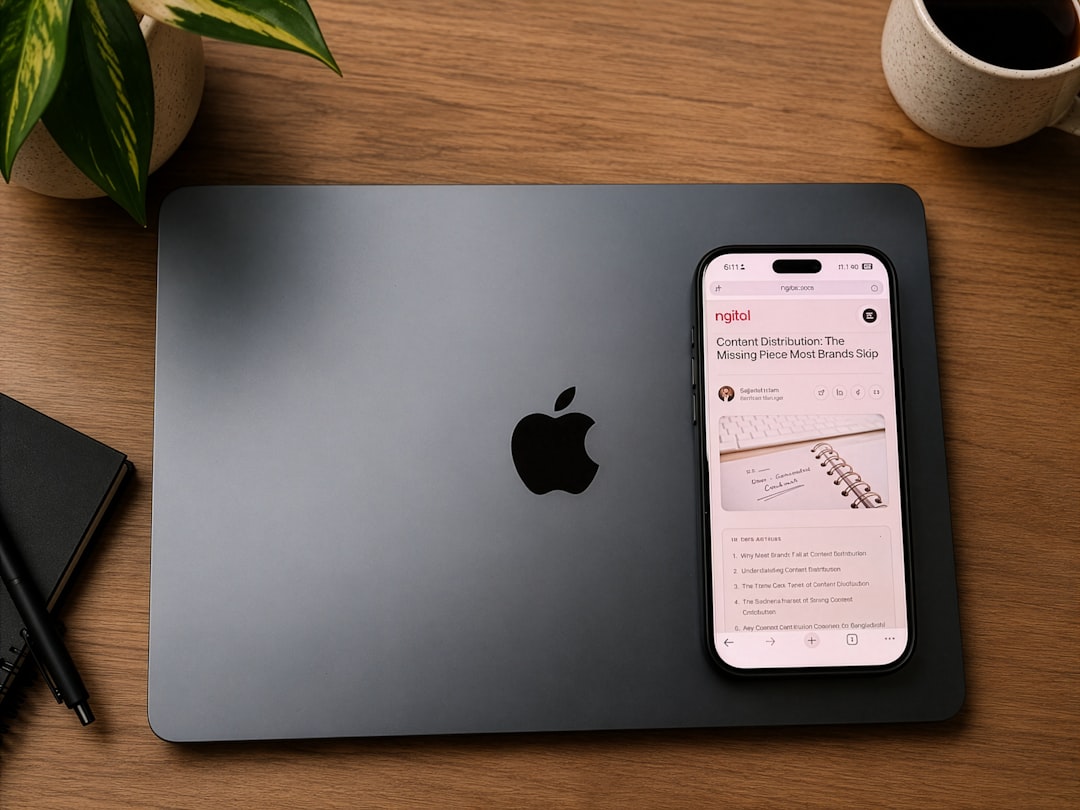
black Android smartphone beside grey laptop computer
Photo: Christian Lambert

Work chats often become a productivity trap. A simple question that seems to require an instant answer can turn into a multi-hour discussion with dozens of messages, where the core point is lost and the team wastes time searching for the truth in an endless feed. Choosing between a chat and a call at work is not just a matter of preference, but a skill for managing team resources.

When messaging becomes inefficient: signs and signals

You can tell it is time to change the format by several clear signs. If you feel that chatting is becoming ineffective and a call is needed, pay attention to the following markers: the discussion drags on for more than five iterations, participants start to contradict each other, or an "echo" of clarifying questions like "what did you mean?" arises in the chat. When understanding the context requires long explanations, it is better to discuss the task by voice. This does not mean that chats are bad—they are ideal for conveying facts, but they fall short when solving complex problems where intonation and quick reaction are important.

Selection criteria: how to understand what to choose for solving a task

The main criterion for choosing a communication format in work correspondence is the cost of time spent. Ask yourself: how much time will it take to describe the problem in text in detail, and how much for a five-minute conversation? Often, a five-minute call is better than an hour of messaging because it allows you to synchronize the vision of all participants at once. Choose text if you need to record agreements or share a link, and voice if you need to "find" a solution during a joint brainstorming process.

Rules for switching from text to a call: how not to waste colleagues' time

The transition from a message to a call should be ethical and respectful. Business communication ethics imply that you do not "break into" a colleague's workflow with a call without warning. Send a short message: "I have a couple of questions about the project, can we jump on a 5-minute call now?". This helps to understand when it is better to write a message or make a work call, while maintaining the employee's focus. A call without an agenda is the main enemy of productivity, so always indicate what will be discussed.

Saving the team's working time: why do we need clarity?

Saving the team's working time through the choice of communication format is achieved when each participant understands the value of their own and others' concentration. Communication tools should help, not create noise. At PING, we focus on a clear signal: the user should quickly understand what is happening in the conversation. The right balance between text and voice allows for faster results, saving energy for important tasks rather than endlessly clarifying details in a messenger.

Additional context on the topic is provided in the article How to record agreements after a chat discussion.

Frequently asked questions

Should I warn about a call or can I just call?

A spontaneous call can disrupt a colleague's workflow. It is always better to send a short message with an agenda in advance so that the person can prepare or choose a convenient time for the conversation.

How many chat messages is the limit before you need to call?

If the discussion requires more than three rounds of clarification and there is still no clarity, it is a signal that the messaging format has exhausted itself and it is time to switch to live communication.

What should I do after a call so the agreements are not forgotten?

Any important conversation should end with a brief summary in the chat. This ensures that all participants understood the tasks the same way and agreements are not lost. Read more about how to record agreements after a chat discussion in our knowledge base.

Was this article useful?

Your feedback helps make PingBook more precise.

Share this article

Related articles

Следующие истории PingBook

All articles

How to prioritize tasks in a team chat without unnecessary fuss

Learn how to prioritize tasks in a team chat to reduce digital pressure and stop getting distracted by every notification, while maintaining focus and productivity.

How to prioritize tasks in a team chat without unnecessary fuss

In a remote team, a work chat often turns into an endless stream of notifications. Each message marked as "urgent" or simply "have a question?" forces an employee to drop their current tasks so they don't seem inattentive. As a result, the workday is fragmented into short bursts, and productivity drops. The problem is not the tools themselves, but the lack of a culture of managing expectations.

Why everything becomes "urgent" in work chats

Digital pressure in a team grows when members have not agreed on communication rules. When any request requires an immediate reaction, the team loses focus. To make communication rules in a team chat work, it is important to realize: response speed does not equal work quality. Employees are forced to constantly monitor chats, trying to guess what really requires attention right now and what can wait. This creates unnecessary noise and prevents them from focusing on complex tasks.

Message statuses as a task classification tool

Message statuses are often perceived as a way to monitor employee time: "why did they read it but not reply?". But this tool can be used differently — as an indicator of urgency. Agree with your team that a delivery status is a confirmation that information has been received, not a signal for immediate action. Instead of demanding an instant reply, learn to classify tasks through message structure: for example, by adding tags like [URGENT], [DISCUSS], or [FOR INFO]. This helps the team understand the priority level immediately, without wasting time on extra clarifications.

How to reduce the flow of notifications and organize your workflow

It is important for a manager to set an example by stopping the demand for second-by-second involvement. Train the team to react only to critical incidents, and set aside specific time windows for other questions. This is the best way to manage team attention without micromanagement. Try introducing a rule: if a task requires immediate attention, it is better to convey it through a specific channel rather than the general chat feed. Gradually, the team will get used to the fact that not every notification requires them to stop working, which will significantly reduce the overall stress level.

Focus on what's important: how PING helps maintain a work rhythm

Clear communication begins with the realization that information should not be intrusive. When you know exactly what is happening with your message, the need to anxiously wait for a reaction disappears. At PING, we focus on clear statuses: the user should quickly understand what is happening with a message. This eliminates unnecessary fuss and allows for a work rhythm where every signal is valuable information, not just another reason to get distracted. Using clear synchronization tools helps the team spend energy on results, not on fighting an endless stream of notifications.

Frequently asked questions

How do you agree with colleagues on what counts as an "urgent task"?

Agree on common terms. For example, "urgent" only applies to things that block the entire team's current work, while everything else has a "standard" priority. Use statuses as delivery indicators, not as a surveillance tool.

What should I do if everything in the general chat seems important and urgent?

Use pinned messages for the current focus topics of the week. Also, train the team to start critically important messages with capitalized tags so they are visible even when scanning the feed.

How do I stop checking notifications every five minutes?

Set aside specific time slots, for example, three times a day for 20 minutes, to process all incoming messages. At other times, turn off notifications to focus on deep work.

PingBook

Следующие истории PingBook

How to politely decline a business partner while maintaining your reputation and contacts

Learn how to politely refuse a business partner while maintaining your reputation and working connections. Instructions on structuring a refusal and maintaining professional relationships.

blue tablet computer case on brown wooden table
Photo: Josh Fawzy
How to politely decline a business partner while maintaining your reputation and contacts

In the business world, 'no' is not a personal insult, but a tool for resource management. Many entrepreneurs are afraid to refuse, fearing reputational loss, but in reality, delayed expectations or vague responses harm both sides. The ability to correctly decline an offer is a skill that saves time and allows you to focus on significant tasks.

How to know it is time to say 'no'

Before formulating a refusal, conduct an internal audit. If a project does not fit your strategy or takes up too much focus, do not delay the dialogue. Understanding how to politely decline a business partner starts with an honest analysis: do you have real resources? If the answer is negative, this is a valid reason to end the conversation if the proposal is not profitable. Remember that clarity in intentions is valued by professionals more than empty promises.

Rules for an eco-friendly refusal

An ethical refusal to a business partner should be based on three components: gratitude, a brief justification, and closing the topic. To understand how to say 'no' in business without offending someone, use 'I-statements' and focus on objective circumstances: 'Thank you for the proposal, but my priorities are currently focused on other tasks, so I will not be able to join the project.' This is the best way to correctly decline a business proposal, as you are not criticizing the partner's idea, but outlining your boundaries.

Checklist: how to keep the door open

To maintain relationships, offer an alternative or an opportunity to return to the discussion later. Message templates for polite refusal to business partners work better if they are personalized. 1. Do not disappear — send a response immediately. 2. Be brief. 3. Offer help in finding contacts, if appropriate. Transparency in arguments helps you not to spoil your reputation.

Clarity is the key to trust

Misunderstanding in business is often born from redundancy. At PING, we focus on a clear signal: the user should quickly understand what is happening in the correspondence. Instead of long excuses, it is better to send a clear refusal that leaves no room for ambiguity. This helps to effectively solve the issue of how to refuse an investor or partner without wasting time on endless clarifications.

Frequently asked questions

What to do if a partner is waiting for an answer, and I am not ready to give it right now?

Honesty is better than uncertainty. If you are not ready to answer, it is better to write: 'Thank you for the proposal, I am studying the details and will return with an answer in the coming days.' Long silence is worse than a direct but correct refusal.

How to politely refuse if the project looks promising but does not fit my strategy?

Focus on business tasks, not the personality of the interlocutor. Clearly state that the project is interesting, but at the moment does not fit your strategy. This relieves emotional tension.

How to end a dialogue so as to maintain the possibility of cooperation in the future?

Keep the door open by suggesting a return to the discussion when circumstances change or by recommending another specialist. The main thing is to finish the conversation on a constructive note.

PingBook

Следующие истории PingBook

What the "Read" message status means with unstable connectivity

We explain why message statuses freeze in subways and areas with poor internet, what it actually means, and how to avoid worrying about delivery delays in unstable networks.

let your dreams set sail quote
Photo: Kelli Stirrett
What the "Read" message status means with unstable connectivity

Everyone has encountered this situation: you send an important message while on the go, enter a subway or a basement, and the message status freezes. You stare at the screen and start worrying: did it arrive? Did the recipient read it, or was the connection lost forever? It is important to understand that status delays in such moments are primarily a technical aspect of network operations, not a sign that you are being ignored.

How message statuses work: From the "Send" button to the checkmark

To understand what the "Read" status means, you need to visualize the data journey. When you tap send, the messenger first transmits the data packet to the server, and then the server routes it to the recipient. Statuses are return signals: "Delivered" means the server has transmitted the message to the recipient's device, and "Read" means the recipient's app has confirmed the chat was opened. This entire process requires stable two-way data exchange.

Why the "Read" status doesn't change: When the network lets you down

In areas with weak reception, such as subways or basements, internet connectivity is intermittent. Why doesn't the "Read" status change in the subway? Because for the status to update, the recipient's smartphone needs to successfully "report" the read event to the server, and your smartphone must successfully receive that confirmation from the server. If the network drops, the chain is broken. The status may not update for hours or may appear with a significant delay as soon as the device catches any signal for synchronization.

What to do if the "Read" status isn't updating

If you see that the status isn't changing, don't panic. A delay in delivery status within an unstable network is a common occurrence. First, check if your message has an error icon. If the message is just "hanging" with a pending icon, you likely have a Message sending queue active, which will resolve automatically as soon as the signal is restored. There is no need to frantically delete and resend the text—that will only create duplicates.

How PING helps you stay connected without extra questions

Maintaining stable correspondence in complex conditions depends on how the app handles connection drops. It is important that the interface provides honest information about network status without misleading users with "frozen" checkmarks. At PING, we focus on clear statuses: the user should quickly understand what is happening with their message. A transparent architecture allows the app to correctly process moments when connectivity is lost, ensuring your messages reach the recipient immediately after the internet connection is restored without confusion in the statuses.

Frequently asked questions

Why is my message sent, but the "Read" status doesn't appear?

The "Read" status is a signal that the recipient's app sends to the server, which the server then forwards to you. The time difference between sending and delivery depends on how quickly the servers exchange information, which takes longer under poor connectivity.

Why doesn't the "Read" status update while I am in the subway?

The status requires a two-way connection: the recipient must confirm the read, and your phone must receive this report from the server. In the subway, connectivity drops break this chain, so information only updates after leaving the dead zone.

Did my message arrive if the network dropped while I was sending it?

Don't worry: your message is not lost. It enters the sending queue. As soon as your device detects a stable internet connection, the app will automatically complete the transmission, and the status will update according to the current delivery state.

PingBook

Следующие истории PingBook