Digital Detox: How to Combat Notification Overload in Chats

We explore why notifications cause distractions, how to audit your chats, and how to regain control of your attention without leaving important communities.

four people all on laptops, two men and two women, listen to person talking in a board meeting
Photo: Mapbox

Digital Detox: How to Combat Notification Overload in Chats

You open your smartphone and see dozens of icons with numbers. Parental chats, local community groups, work groups — each one competes for your attention right now. Information noise causes anxiety and prevents you from focusing on current tasks. Let's look at how to regain control over your time and attention without leaving important communities.

Why Notifications Steal Your Attention

A constant stream of messages is the primary cause of stress in the digital environment. The problem lies in the fact that the interfaces of many messengers are designed to notify you about every action. Our brain perceives any auditory or visual signal as a call for immediate reaction. This leads to a loss of concentration, causing work or rest to turn into constant switching between dozens of contexts.

Diagnosing Chaos: How to Evaluate Your Inbound Stream

Before making radical decisions, conduct a chat audit. Managing attention begins with a simple analysis: which groups are useful and which ones only create background noise? Try a classification method: pin your most important contacts and turn off notifications for the others. If a group does not require your participation 24/7, it is better to visit it consciously by setting aside dedicated time during the day instead of reacting to every smartphone alert.

Settings for Concentration

Personal boundaries in the digital world begin with notification settings. Most modern messengers allow for flexible activity management: muting specific groups or hiding unread message counts. Try setting a "silent" mode for all chats except personal correspondence. This will help you keep your focus on truly important tasks, knowing that in case of an urgent need, you will still see the message without being distracted by discussions in large groups.

Digital hygiene is a habit that requires time to implement. Start small: turn off notifications in one "noisiest" chat for a week and track your stress level. You will notice that you reach for your phone less often without a reason, and your concentration quality will increase significantly. It is important to remember that messengers are created for our convenience, not to manage our schedule.

A Technological Approach to Noise Filtering

Tools for combating digital overload work more effectively if they are built into the communication architecture. When a messenger interface is designed with a focus on the essence, you do not have to constantly "clear" your feed of unnecessary clutter. At PING, we focus on a clear signal: the user should quickly understand what is happening in the conversation. Because of this, you spend less time sorting through chaos and more time on real tasks, maintaining calmness even in the most active communities.

Frequently asked questions

Is it mandatory to leave chats to stop feeling anxious?

No, leaving a chat is an extreme measure. It is sufficient to limit activity within the app: turn off notifications or mute the group so you only check it when it is convenient for you.

How do I avoid missing an important message if I have turned off all notifications?

It is important to understand the difference between blocking and focus management. You can mute sound but keep notifications on for personal messages. This allows you to see what is important without being distracted by every comment in large groups.

Why do constant notifications from communities cause feelings of anxiety?

The state of overload is caused by the brain being unable to keep up with switching between streams of information. It is a natural reaction to an overly high pace of communication, which is solved by simple filtering settings.

Was this article useful?

Your feedback helps make PingBook more precise.

Share this article

Related articles

Следующие истории PingBook

All articles

The Art of Planning: How to Schedule a Meeting in a Chat Without the Chaos

We look at why planning meetings in chats often turns into chaos and share a formula for clear scheduling that will save you time and help you make decisions quickly.

A laptop with a blank screen, glasses, and a small case on a wooden desk
Photo: SPurno Animation Studio
The Art of Planning: How to Schedule a Meeting in a Chat Without the Chaos

You are likely familiar with this situation: friends are trying to choose a movie for the evening or a place to meet, but the group chat discussion turns into an endless stream of images, stickers, and emojis. Someone writes, “any time works for me,” someone else suggests options that don't align with others, and two days later, the group is back at square one. Why does this happen, and how can you schedule a meeting in a chat without wasting time and nerves?

Why discussing plans in a chat often turns into chaos

The main problem with most group chats is the blending of important information with everyday noise. When a discussion is unstructured, specific proposals dissolve into a series of reactions. Readers often struggle while trying to “get through” to the group with general questions like “so, when are we going?”. Such messages create an illusion of activity but lack substance. To avoid chaos when discussing plans in a chat, it is important to understand: the more participants there are, the stricter the filter for incoming information should be. Minimum noise: how to maintain calm correspondence in a chat is the key to ensuring that important information does not drown in a sea of messages.

The formula for a clear proposal: how to schedule a meeting in a couple of messages

To quickly agree on a time and place, use a simple formula: specifics plus limited choice. Instead of an abstract “let’s go somewhere,” suggest two or three ready-made options. For example: “I propose we meet on Saturday: either at 3:00 PM at the park or at 6:00 PM at the café. What works best for everyone?”. This immediately narrows the scope for discussion. Avoid questions that don't have a simple answer—the less effort required from the person to make a decision, the faster you will reach an agreement.

The culture of “pinned summaries”: why this saves your nerves

Once a choice is made, an “incompleteness effect” often occurs: a decision is announced, but no one is sure if it is final or not. Introduce the rule of pinned summaries: one person takes on the role of initiator and writes: “Summary: we are meeting on Saturday at 6:00 PM at the café. Is that correct?”. Such confirmation helps all participants be on the same page and gets rid of unnecessary questions at the last minute. This is a polite and calm way to close the topic without dragging the discussion out for hours.

How PING helps keep the focus on important agreements

Digital etiquette for planning meetings begins with respecting other people's attention. At PING, we focus on clear signals: the user should quickly understand what is happening in the correspondence. We have created an environment where notifications and chat structure help focus on the essence, rather than on unnecessary information noise. When the rules of effective planning are supported by a clear interface, it becomes much easier to agree on something important, as every participant sees the main point immediately.

Frequently asked questions

What should I do if everyone in the chat agreed, but the location and time were never confirmed?

Always pin the result with a message: “Summary: we are meeting at [time] at [location]. Does everyone agree?”. If there is no response, one person should take responsibility and confirm the decision.

How can I politely end an endless discussion and suggest an option?

Do not wait for the group to reach a consensus on its own. Take the initiative by suggesting 2–3 concrete options. This stops the clutter and guides the dialogue in a constructive direction.

How many time and location options should I suggest in a group chat?

It is optimal to suggest 2–3 options. A larger number creates choice paralysis and again provokes an endless discussion of details.

PingBook

Следующие истории PingBook

How to send a photo with a poor internet connection: why 'smart' background uploading is better than repeated attempts

How to send a photo with a poor internet connection and why the habit of constantly tapping 'retry' only slows down media file delivery. We break down the mechanics of background uploading and the rules for stress-free communication.

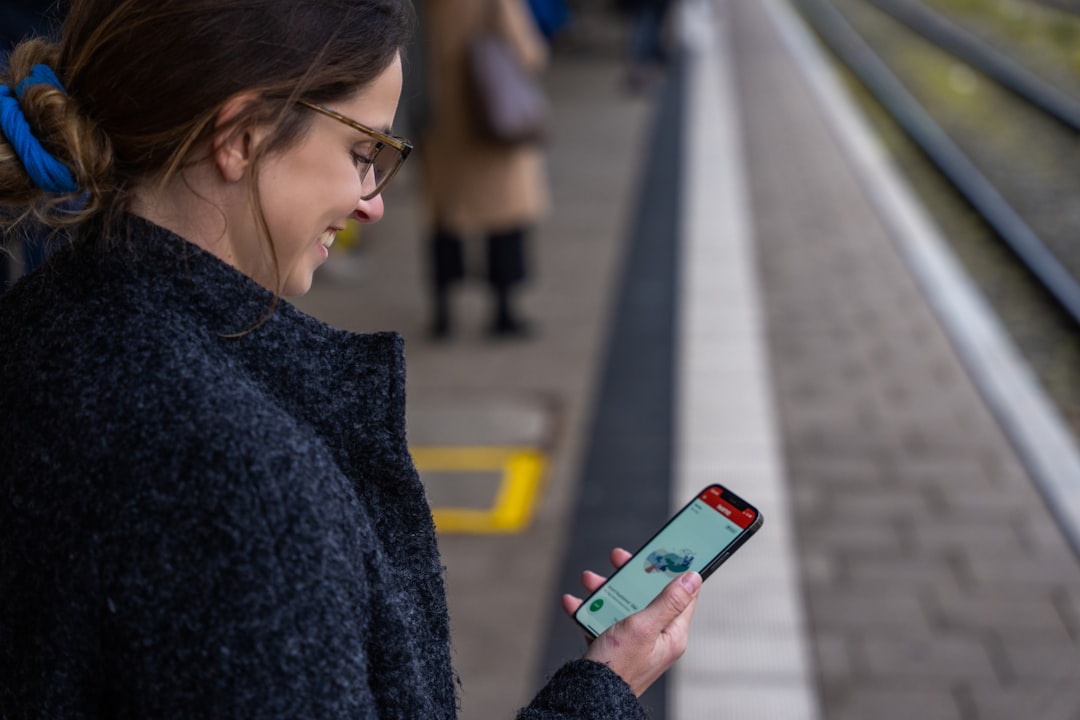
A woman standing on a train platform looking at her phone
Photo: Katharina Ickert
How to send a photo with a poor internet connection: why 'smart' background uploading is better than repeated attempts

You're standing on a train platform, trying to send a photo of the view out the window to a friend, but the loading indicator freezes. The network is flickering, the signal drops for seconds, and at that moment, your hand instinctively reaches for the screen to tap 'retry' again and again. Sound familiar? It feels like if you hurry the app, the file will fly off faster. In reality, you are creating a 'traffic jam' in your phone's memory and draining the battery, trying to force the messenger to work against the laws of physics.

Why media doesn't send during connection drops

When you hit the send button, the phone doesn't just 'shoot' the file into a void. It begins a data exchange session with the server. In conditions where media files take a long time to upload in a chat, the main problem isn't so much the megabytes themselves as it is connection stability. Micro-outages in the network cause data packets to be lost. If you start hitting 'retry' at that moment, the phone creates dozens of new requests to send the same file. Each such request is an additional load on the processor and radio module, which are forced to process a queue of duplicates instead of finishing the started transfer.

How to wait for a file to upload with a weak signal

Modern apps use a mechanism of 'smart' file uploading during unstable internet. The gist is simple: the messenger puts your media file into a background queue. If the connection breaks, the app doesn't cancel the task but 'freezes' while waiting for a stable signal. As soon as the phone 'sees' the network again, the transfer resumes exactly from where it left off. When you manually tap the screen hoping to speed up the process, you reset this progress, forcing the system to start from the very beginning. Understanding why it is important to know the status of a message delivery helps you stay calm: if the loading icon is active, it means the phone is working, and your interference only hinders it.

Checklist: what to do if a photo is 'stuck' while sending

If you encounter a situation where file sending is hanging in your messenger, don't panic. Here is a simple sequence of actions:
1. Tap once and put the phone away. Give the device 30–60 seconds for an automatic background upload.
2. Don't switch apps too often. Background operation might be limited by the system to save battery while the file is 'hanging' in the queue.
3. Check if you haven't switched to 'Airplane' mode or disabled data transmission.
4. Avoid attempts to duplicate content — this leads to duplicate messages and files in the chat, clogging up your device's memory and wasting extra traffic.
If nothing helps, just wait until you move into an area with a strong signal. At PING, we focus on a clear signal: the user should quickly understand what is happening in their correspondence.

Frequently asked questions

Why shouldn't you press the photo resend button multiple times?

Repeated taps create a queue of identical tasks for the processor and network. This forces the phone to spend resources on duplicates instead of finishing sending a single file when the connection is restored.

How does background photo uploading work in chats?

The application puts the file in a queue and tries to upload it in chunks. If the connection is lost, the process is paused and automatically resumes when internet becomes available, which is much more efficient than manual restarting.

What should I do if a photo in a chat hangs in sending status for a long time?

Give the app a minute to complete the task on its own. If progress isn't moving, check for a stable internet connection or try switching between mobile data and Wi-Fi.

PingBook

Следующие истории PingBook

Using neural networks at work: how to implement AI in chats without losing focus

Using neural networks at work simplifies processes but often leads to chat overload with junk. We break down how to properly delegate tasks to AI and maintain work focus.

four coworkers smiling around laptop at table
Photo: Jud Mackrill

When a new assistant—artificial intelligence—joins a team, work dynamics shift. It would seem that using neural networks at work should accelerate processes, but in practice, chats often turn into a stream of unstructured content. If every member starts posting generation results directly into the main feed, the team will face critical information overload.

Why chats turn into a junkyard after AI implementation

The main problem lies in the lack of boundaries. When automated responses begin to duplicate or replace live communication, information overload in work chats from neural networks occurs. Colleagues spend time filtering useful data amidst the "automated junk." Artificial intelligence should serve as a tool for solving specific tasks rather than becoming an active participant in every discussion; otherwise, important decisions will simply be drowned out by generated text.

Rules for integrating neural networks into a team's workflow

For the rules of integrating AI into a team's workflow to work, start with basic digital hygiene:

  • Designate separate spaces: Do not mix live discussions with AI output.
  • Follow a format: Every generation result should have a clear title or tag.
  • Dose the presence: The neural network should only be engaged upon a specific request, not running in the background by default.

These simple steps will help with optimizing team correspondence when using AI, maintaining clear goals for every employee.

How PING helps maintain focus on what matters

At PING, we emphasize a clear signal: the user should quickly understand what is happening in the conversation. Communication tools should help structure data, not create new layers of noise. When you use PING, the focus shifts from endless notifications to conscious interaction. This allows you to implement neural networks in a company without extra noise, leaving space for live dialogue and rapid decision-making, where each member sees only what truly matters for the overall result.

How to effectively delegate tasks to neural networks without extra noise

To ensure that organizing task delegation to neural networks in messengers does not become a problem, stick to the "request-result" principle. There is no need to broadcast the entire process of "talking" with an algorithm into the main chat. It is enough to post the final output, formatted as a ready-made solution or draft. It is important to know how to make using neural networks productive for a team: delegate routine work, but keep the responsibility for the quality of the result with the human.

Additional context on the topic is provided in the article How to get rid of information noise in work chats: regaining control over tasks.

Frequently asked questions

Should a neural network be added to every work chat?

No, that is redundant. AI should remain a tool for deep data processing, not a constant participant in correspondence. Otherwise, the risk of turning the workspace into an endless feed of automated responses is too great.

How can I separate neural network output from important team messages?

The best solution is to designate a separate private channel for generations. There, employees can test prompts, and only verified and useful results should be broadcasted to the main stream.

How should neural network responses be formatted so colleagues can read them quickly?

Use fixed templates: a brief description of the task, the essence of the AI prompt, and the final thesis. Uniformity helps colleagues instantly read the essence without reading through long generated blocks of text.

PingBook

Следующие истории PingBook