How to Agree on Communication Rules in the Parent Chat

How do you restore order in a parent chat without losing important announcements in endless spam? Practical tips, communication rules, and a checklist for organizing calm correspondence.

grayscale photography of computer mouter
Photo: Gunnar Sigurðarson

How to Agree on Communication Rules in the Parent Chat

In the evening you open your phone to check what time classes start tomorrow, but instead of an important announcement you see a hundred unread messages. In the feed there are gift discussions, arguments about the weather, random pictures, and endless “thanks.” To find the schedule, you have to scroll back through the history, wasting time and nerves. Today the parent chat is the main channel of communication with teachers and other families, so the noise level there has become critical. The main thing now is not to ban communication, but to bring discipline back to it.

In short: three rules for a calm chat. First, set aside what is “important” — announcements about school matters should go separately. Second, agree to discuss personal matters (gifts, trips) in separate threads or private messages. Third, be polite but firm: if the chat has turned into a spam dump, it is worth gently reminding everyone of its main purpose.

Why it is now so easy to miss important things in the parent chat

The parent chat brings together people with different goals. Some only need the schedule, others want to discuss the details of a celebration, and others just want to socialize. Under a heavy attention load, every extra notification causes stress. Important messages in the chat get lost because off-topic messages quickly push them upward. Chat noise becomes the norm, and over time parents simply stop reading notifications, missing truly significant class events.

How to tell that the chat is already getting in the way of the class: a quick check

Check your chat against three signs. If you feel irritated by the number of notifications, if spam in the chat takes up 80% of the feed, and if you have already started to miss important messages because they are hidden behind gift discussions, then the chat check is clear: the chat has stopped being a useful tool and has become a source of extra tension. How to tell if there are many off-topic messages in the parent chat? Simple: if it takes you more than a minute to find a message from the teacher, it is time to restore order.

How to politely suggest rules for the parent chat

How to write rules for the parent chat without becoming an outcast? The secret is the “benefit position.” Do not criticize others; speak about yourself: “Colleagues, it is very important for me not to miss the announcement about tomorrow’s lessons. Let’s try to make sure that everything important is in a separate message, and discussions are in replies or private messages.” How to politely suggest rules for the parent chat is a matter of wording. Use the formula: “I suggest that it be easier for all of us...” instead of “You are cluttering the chat.”

Which rules really help keep the chat on topic

How can we agree that only relevant messages should be written in the parent chat? Set simple guidelines: “One topic — one message,” “No picture cards on weekdays,” and “The organizer always posts the summary.” How can we set correspondence rules in the parent chat? Pin them in the group description or in the first message. The main thing is that the communication rules in the parent chat should be accepted by the majority.

What to do in typical situations: gifts, contributions, schedules, and urgent announcements

Collecting money and discussing gifts are the main sources of chaos. How do you bring the parent chat back to class topics at such a moment? Suggest creating a separate group for organizational matters or moving all the details into replies to one pinned message. How to limit unnecessary discussions in the parent chat? If the topic has gone off track, gently remind everyone: “Let’s discuss the gift separately so we don’t miss the schedule.” If there are many off-topic messages in the parent chat, simply suggest moving the discussion to private messages.

Mistakes that make the rules fail

The most common mistake is a harsh tone and an attempt at dictatorship. If you start “educating” the parents, conflict will arise. Another mistake is long walls of text with rules that no one will read. How to gently remind people about the communication rules in the parents’ chat? Be brief. Calm communication in the chat is possible only when the rules are simple and clear to everyone. How to bring the chat back to constructive discussion? Do not write lectures; write solutions.

Checklist: how to restore order in the chat in one evening

1. Make a short list of 3 rules (topic, format, time). 2. Write a friendly message in the chat. 3. Pin the rules so everyone can see them. How to make the parent chat calmer and more organized? Regularly (once a week) remind everyone about the importance of structure so you do not miss important messages because of spam in the parent chat. The parent chat checklist works best when it is visible.

How a convenient correspondence format helps keep important things in view

The technical organization of correspondence is critically important. At PING, we focus on a clear signal: the user should quickly understand what is happening in the conversation. When a messenger makes it easy to separate discussions into threads or quickly find attached files, a convenient communication format becomes a habit. Clear correspondence in a group chat is not just a setting, but a culture of respect for other people’s time. Using tools to filter noise helps preserve the essence of the conversation, making communication in PING predictable and calm.

What you can do today

Choose three rules that seem most relevant to you and suggest them in the chat tonight. What to do if there are many messages in the parent chat? Don’t panic — start with yourself and write briefly and to the point. How to agree on communication rules? Take the initiative and show how a calm class chat can save time for every parent.

Additional context on the topic is provided by the article How digital technologies are changing communication in family and school chats.

Frequently asked questions

Which communication rules are best to introduce first in the parent chat?

It is best to start with three simple principles: write only about relevant matters, separate detailed discussions from important announcements, and do not use the group chat for personal conversations.

How can you politely suggest rules for the parent chat?

Use the “benefit position” formula: explain that the new rules will help everyone find important information from the teacher faster, without wasting time on unnecessary notifications.

What should I do if the chat drifts back into off-topic conversation?

Write a short reminder: “Colleagues, let’s move this discussion to private messages or another thread so we don’t clutter the main flow of announcements.”

How do I write a message so it will be noticed in the parent chat?

The message should be short, with the main fact at the beginning. Avoid long sentences and complex structures that are hard to read on the go.

How can I make the parent chat calmer without conflicts?

Along with rules, it is important to agree on “quiet hours” and ask participants to send final decisions in one message so the feed stays readable.

Was this article useful?

Your feedback helps make PingBook more precise.

Share this article

Related articles

Следующие истории PingBook

All articles

How to remove messages from notifications and suggestions: keeping your correspondence private

How to remove messages from notifications and suggestions: we break down where the phone shows too much, how to hide text on the lock screen, and what to check in your notification history and suggestions.

two pens near MacBook Air
Photo: Daniel Fazio

Knowing how to remove messages from notifications and suggestions is not just about “settings for the sake of settings,” but about simple everyday comfort. Your phone might be locked and the chat closed, yet a snippet of text still pops up on the screen, in the notification bar, the notification history, or search suggestions. That alone is enough for someone standing nearby to accidentally see something they shouldn’t.

This is especially noticeable if a phone is shared between users: a child, parent, or partner. At first glance, it seems the problem is only on the lock screen. But in reality, traces of correspondence can remain in several places at once. Therefore, it is important not just to “hide the message,” but to understand exactly where the smartphone is displaying unnecessary information and how to turn it off without sacrificing convenience.

Why your smartphone “highlights” your correspondence

Your smartphone tries to be helpful by showing the sender’s name, a text snippet, quick actions, and sometimes even offering to reply directly from the notification. This is convenient when the phone is in your hands. But that same logic becomes a risk if the device is lying on a table or handed to someone else for a moment.

Most often, the problem is not the message itself, but why the text of messages is visible in notifications even when the phone is locked. The system simply shows a preview because it is faster to read the essence that way. If you do not limit these suggestions, a prying eye might catch the contact name, the topic of conversation, and part of a reply.

Another point is the notification history. Even if you have already swiped the banner away, the text may remain in the system log. This leads to the feeling that the correspondence has “leaked” not into the chat, but into the phone’s interface itself.

How to configure notification privacy so text is not visible

It is best to start with a basic check. Open your notification settings and see how they appear on the lock screen. Look for modes where you can hide content, leave only the application name, or show notifications without text.

The task is simple: how to prevent the display of a message snippet in the notification bar without disabling notifications entirely. Usually, it is enough to choose a stricter display option: no preview, no text, no details on the lock screen. Then the message will arrive, but the content will not be visible to an accidental observer.

Check parameters for individual applications separately. Sometimes general phone settings already limit text, but the app itself still shows an expanded banner or a quick reply. In such a case, you need to go through the settings of the specific chat and disable the display of content in notifications where possible.

If your phone supports biometrics or a secure code, do not disable screen lock “for convenience.” It is better to make notifications less detailed than to leave the screen open. This way, you preserve both privacy and quick access to what is important.

Cleaning “traces”: how to remove messages from history and suggestions

Even after setting up notifications, it is useful to check for system traces. People often forget that how to remove messages from notifications and suggestions is not a single step, but several small actions.

First, look at the notification history if it is enabled. It may store the text of recent banners, and swiping from the screen does not delete it. Then check the search bar and keyboard suggestions: sometimes the phone remembers words from notifications and suggests them again. This is no longer correspondence, but traces of text in the interface, yet for privacy, there is almost no difference.

It is also useful to disable or clear auto-suggestions if the device suggests frequent phrases, names, or recent queries. This is especially noticeable on a shared phone, where everything from contacts to snippets of recently seen text pops up in the suggestions.

If you need to know how to disable message previews in system suggestions, look beyond notification settings to include search parameters, input assistants, action history, and recent queries. It is like cleaning up after a conversation: you need to remove not just the banner itself, but its traces.

Quick privacy diagnostic: checklist

Checking takes only a few minutes. See how to ensure incoming notifications do not show the sender’s name and text: the lock screen should be without details, banners without fragments of messages, and the notification history cleared or disabled.

Then check how to remove the display of new messages on the notification screen in apps where this can be done separately. Often the problem is solved not by one slider, but by a combination of three things: hiding text, limiting display on the lock screen, and clearing system history.

If something still pops up, check two more places: quick replies and keyboard suggestions. That is where text can appear unexpectedly, even though the chat itself is already closed.

And a calm, important conclusion: you do not have to choose between convenience and privacy. Usually, it is enough to slightly adjust system settings so that the phone continues to notify you of a new message without revealing its content to everyone around. At PING, we emphasize a clear signal: the user should quickly understand what is happening in their correspondence. This is a good principle for phone settings as well: useful — yes, unnecessary — no.

If other people, especially children or loved ones, are often near you, such a setting quickly stops being a “trifle.” It simply gives you back control over where your personal life ends and the common space begins.

Summary

To close off unnecessary traces of correspondence, look not only at the chat but at the phone itself. Disable previews, check the lock screen, clear notification history, and remove unnecessary suggestions. This does not require panic — only a few calm steps.

Additional context on the topic is provided in the article Why message text is visible on the lock screen and how to fix it.

Frequently asked questions

Why does a message remain in the notification history after I delete it from the messenger?

Because notification history stores system logs separately from the chat itself. Deleting a message in a conversation does not always remove its trace from the notification journal.

If I hide text in notifications, will I stop receiving new messages?

No. Hiding text and names in notifications does not prevent messages from arriving. It only limits the visibility of content on the screen and in suggestions.

Will disabling previews help if the phone gets into someone else's hands while unlocked?

It will help partially. But if the phone is unlocked and left open, you need a password, code, fingerprint, or another screen lock method.

PingBook

Следующие истории PingBook

How to organize a local community chat without chaos in the correspondence

How to organize a local community chat without chaos: simple rules for residents and parents so that important messages aren't lost and correspondence stays calm.

a cell phone sitting on top of a table
Photo: Lana Codes

How to organize a local community chat so that important announcements don't drown in it? This is not a question about whether it is more convenient to message, but about whether people will see the meeting time, the shopping list for the class, the cleanup date, or an urgent change of plans. Chaos appears quickly in resident or parent group chats: someone sends a photo, someone forwards a joke, someone asks the same thing, and in an hour, useful information disappears down the feed.

The problem is that such a chat often lives by inertia. People write as they are used to, not thinking that a community is not a personal conversation, but a common tool. If it has no simple rules, it starts making more noise than it helps. And the more participants there are, the costlier each extra line becomes: everyone has to scroll through it.

Why chaos occurs in resident chats

Most often, noise does not arise because of "bad people," but because of a lack of structure. One participant sends a question without context, another replies to the wrong thing, a third starts a discussion in the middle of an important announcement. As a result, the chat turns into a stream where it is difficult to understand what has already been decided and what is still in progress.

Another reason is mixing different tasks in one place. In one conversation, a neighbor might discuss payments, repairs, a lost key, and a request for silence. In a school group, this is even more noticeable: organizational issues, household inquiries, and emotional comments collide in one feed. Thus, important messages quickly lose weight.

If you are thinking what to do if there are too many messages in a resident chat, do not start with calls to "write less," but with observation: what exactly creates noise. Repeats? Off-topic posts? Long voice notes? Urgent questions that could have been sent in a separate message? When the source is clear, it is easier to restore order.

Checklist: how to make a chat clear for all participants

How to structure a housing chat so that important messages are not lost? You do not need a complex system, but rather a few stable habits.

  • Pin the rules in one short message. For example: write only about the house, mark important things at the beginning, ask questions with context.
  • Separate announcements and discussions. If possible, let important messages be separate from conversations. This way there is less chance of losing a date or address.
  • Ask to write with a subject. Not just "take a look," but "Meeting on Tuesday" or "Need a repairman's number."
  • Remove unnecessary reactions. Where you can get by with one "got it" or no reply at all, it is better not to bloat the feed.
  • Document the outcome. After a discussion, one person writes briefly: what was decided, who is responsible, and what the deadline is.

This is the working answer to the request how to organize a local community chat: do not try to force everyone to speak the same way, but make it so that the meaning is easy to find.

It is also important to remember a simple principle: if a message is needed by everyone, it should be noticeable at a glance. Do not hide the date among emotions, or the point among long explanations. This is especially useful when the chat is read on a phone on the go.

Message culture: how to write briefly and to the point

In calm correspondence, it is not the most active person who wins, but the most understandable one. Clear messages help you get an answer faster and not annoy those who read the chat on the go, between chores, or late at night. The formula is simple: goal, context, action.

For example, instead of "What does everyone think?" it is better to write: "We need to choose a meeting date. Is Tuesday or Thursday more convenient? Please reply with one word by 8:00 PM." Such a message has everything: why you are writing, what exactly is needed, and in what form.

A common mistake is writing too generally. People answer not the question, but their guess about the question. The second mistake is asking about several topics at once. Then participants only answer one, and the rest gets lost. The third is hoping that everyone will understand what you are talking about. In a general chat, this almost never works.

If you need how to communicate properly in correspondence, follow a simple rule: one message, one task. This reduces the load on everyone and makes the chat calmer without extra effort.

This is exactly the approach supported by How to write messages so that people answer them immediately: the clearer the request, the fewer rounds of clarifications and repeats.

How PING helps maintain focus in general conversations

When there are many people in a chat, short and clear signals are especially important. PING is appropriate here as an example of what clear communication can look like without extra noise. At PING, we focus on a clear signal: the user should quickly understand what is happening in the correspondence.

This is useful not only for technology but also for communication habits. If a message is written clearly, and a specific answer is needed, the conversation does not drag out. People do not have to guess what was meant or argue about wording. A quick response arises not from pressure, but from clarity.

For a local community, this is especially important: people have different schedules, different tolerance for noise, and different habits of reading long messages. The simpler the chat is structured, the more likely it is that people will actually read it.

How to agree on correspondence rules so that you are heard

It is better to introduce new rules calmly, without lecturing. Not "you are all writing wrong," but "let's try one convenient format so that nothing gets lost." This is the working path for rules of communication in a school parent chat or a neighborhood group.

Start with a short discussion: what is preventing people from reading the chat now, what messages do people miss most often, what is important to keep unchanged. Then propose 3–5 simple rules and pin them in the group description or the first message.

Rules like these work well:

  • important stuff at the beginning of the message;
  • one question per post;
  • do not take the discussion off-track;
  • always document the outcome in a separate message;
  • mark urgent items clearly, but without unnecessary anxiety.

If the participants themselves have agreed to such a format, it is easier to follow it. It is easier for people to follow what helps them save time. And if something doesn't stick, don't scold—just remove what is extra and keep what really works.

In the end, how to organize a local community chat is not about strict control, but about convenience for everyone. When messages are short, rules are clear, and important things don't drown in noise, the chat stops being annoying and becomes a useful tool again.

Frequently asked questions

How to politely ask neighbors to stop messaging in the chat at night?

Start by suggesting a simple rule: a separate message for an announcement, and a separate one for discussion. It is better to agree in advance on silence, time for messages, and the format for important announcements.

What to do if important announcements are lost because of pictures and memes?

Separation helps: one chat or topic for announcements, another for conversations. If this is not possible, ask to start important messages with a label and a short heading.

How to get chat participants to follow communication rules?

Rules work when they are accepted by the majority and fixed in the group description or pinned. It is helpful to remind people of them calmly and consistently for everyone, without personal reproaches.

PingBook

Следующие истории PingBook

How on-device voice message processing works

We break down how on-device AI technologies make it possible to transcribe notes without sending data to the cloud, and check how safe this is for personal recordings.

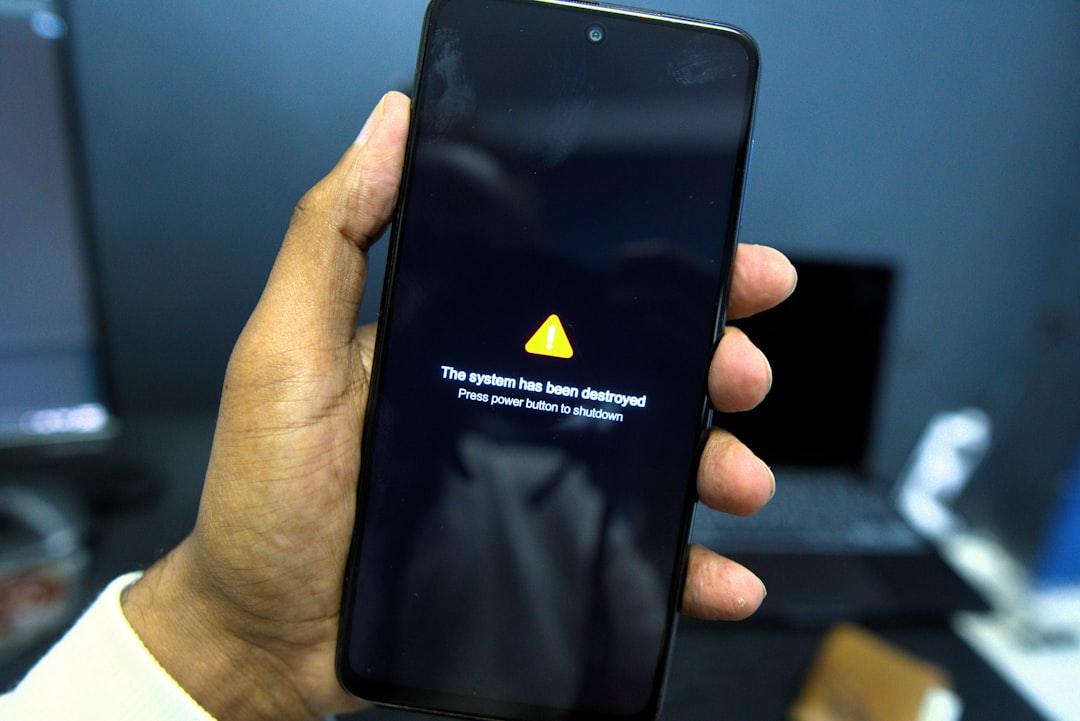
Phone shows a system failure warning message.
Photo: Hamed Taha
How on-device voice message processing works

In the tech world, a notable shift is underway: more and more features that once required sending data to a server now run directly on the smartphone. Fresh official announcements from developers confirm this trend: for processing sensitive information, on-device solutions are now being chosen more often so data never leaves the user's device 21 July 2026. Let's break down what this means for everyday users and why local transcription of voice notes is becoming the privacy standard.

Why local transcription of voice notes has become important now

In the past, turning speech into text almost always meant the smartphone sent the audio file to the cloud. That was necessary for heavy computing. But today, processors are powerful enough that on-device voice message processing is a reality. This is not just a technical trend, but also a response to users' fears about data leaks. Using on-device AI makes it possible to recognize speech without the cloud, keeping every recording private.

How on-device voice message processing works in simple terms

When you press the record button, your phone starts turning sound waves into digital code. In a local setup, this happens under the hood inside the device itself. The assistant app uses built-in algorithms to transcribe the voice note right in the phone's memory. No audio fragments are uploaded to the network. If you use this feature, it is important to understand that the result — the finished text — is stored only in your app or system memory, not on third-party servers.

Local or server-based: what is the difference for the user

The main difference is the path your data takes. With server processing, the audio stream travels over the internet, is analyzed on a remote server farm, and comes back. This offers high accuracy, but it also creates risks. On-device voice message processing removes that middle layer. The benefits are obvious: performance does not depend on internet speed, and the privacy of your thoughts is protected physically. This makes the local method ideal for personal journals and work notes where confidentiality comes first.

When local processing is especially useful: 5 everyday scenarios

Local transcription is indispensable in five cases: 1. Recording personal financial plans. 2. Creating drafts for sensitive work projects. 3. Capturing ideas on a plane or in places with poor reception. 4. Using the device in airplane mode for maximum security. 5. Storing medical recommendations dictated by voice. When you know that voice note recognition on the device stays under your control, you stop worrying about accidental leaks.

Where people make mistakes: 6 risks that do not disappear on their own

Users often fall into the trap of the “illusion of complete protection.” Even if speech is processed locally, remember the following: 1. Your transcriptions may end up in a cloud backup — check sync settings. 2. The lock screen may show text previews — hide them in settings. 3. Third-party apps with keyboard access may read what you type. 4. Outdated OS versions may have vulnerabilities. 5. Shared access to the device (for example, by children) is more dangerous than any cloud upload. 6. Regularly check the list of apps that have permission to use the microphone.

Checklist: how to verify that recognition is happening on the device

To find out whether local processing is working, do three things: turn off the internet (Wi-Fi and mobile data), try dictating a short note in the app, and see whether the transcription appears immediately. If the app keeps working and produces text without a network, then the technology is really using your phone's resources. That is exactly what on-device voice message processing without cloud upload is.

What this changes in communication habits and why PING is looking in this direction too

The growth of on-device AI is changing the culture of digital communication itself. We are getting used to the idea that a gadget can become smarter without becoming more intrusive. At PING, we focus on a clear signal: the user should quickly understand what is happening in a conversation. Integrating such technologies into our lives is a logical step toward keeping communication fast, clear, and, most importantly, staying only between the people involved. This is the right direction for an industry where privacy is becoming a new quality of connection.

Additional context on the topic is provided by the article Communication technologies and on-device data processing: what changes for the user.

Frequently asked questions

What does on-device voice message processing mean?

It means that the entire process of turning your voice into text takes place inside your smartphone's processor, without sending audio files to external servers.

How safe is on-device recognition of voice notes?

Local processing is significantly safer because the data does not leave the device. However, it is always important to know where the final text file is saved and who has access to the phone itself.

How can you tell whether transcription is local or goes through the network?

The simplest way is to turn on airplane mode. If transcription continues to work without internet access, then the processing is being done locally.

Which voice notes are best processed only on the device?

This applies to recordings containing sensitive information: passwords, financial data, personal journals, work plans, or medical notes.

Источники и первоисточники

  1. Android Developers Blog: Build intelligent Android apps: Introduction to...android-developers.googleblog.com

    | 21 July 2026 . We choose an on-device solution so that any privacy -sensitive information on the receipt images never leaves the user's device. The audio diary records, transcribes, and categorizes voice notes into...

PingBook

Следующие истории PingBook