Why the messenger does not work in the background and how to restore instant notifications

Is your smartphone delaying incoming messages until you open the messenger? We explain why Android restricts background activity and how to properly configure your smartphone for instant notification delivery.
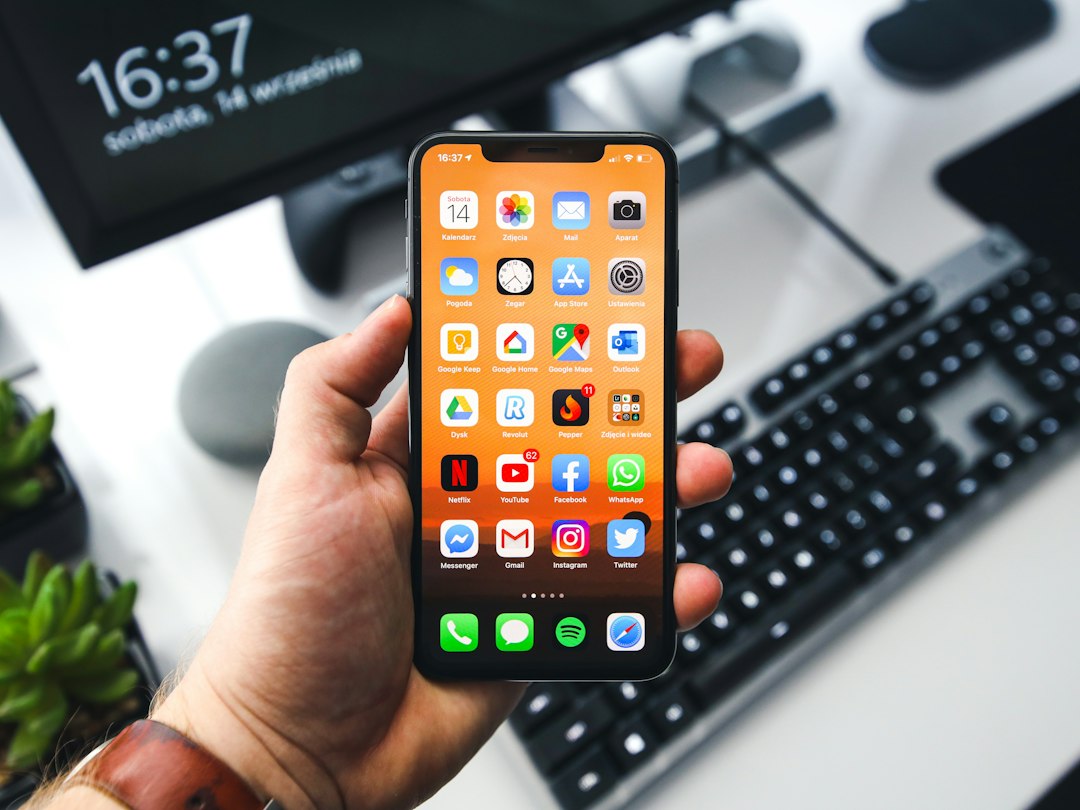
black samsung android smartphone turned on displaying icons
Photo: Sebastian Bednarek

You know the situation: you put your smartphone aside, and an hour later you discover a dozen messages that only arrived the moment you opened the application. If you have noticed that messages only appear after opening the app manually, it means the Android system has started limiting the program's background activity. This is not a malfunction, but a smartphone's attempt to extend battery life.

Why the system kills messenger processes

Modern versions of Android actively manage resources. When you turn off the screen, the system analyzes which applications consume energy and "kills" messenger processes that it deems excessive. This is exactly how power saving affects notification delivery: the messenger literally falls asleep, ceasing to maintain a constant connection with the server. As a result, it becomes clear why Android closes messengers in the background — the system is trying to prevent battery drain, but the side effect is a delay in incoming signals.

Checklist: how to allow an app to work without restrictions

If you want messages to arrive immediately on Android, you need to change your power consumption settings. This will allow the app to remain active.

  • Find the "Battery" or "Power consumption" section in your phone settings.
  • Select "Battery optimization" and find your messenger in the list.
  • Set the value to "Don't optimize" or "Allow background activity".
  • Check the "Autostart" section in app settings — the messenger needs permission to automatically start when the smartphone turns on.

The instructions for setting up app autostart on Android may differ slightly depending on the manufacturer, but the essence remains the same: you need to give the application a "trusted" status so that the system does not forcibly restrict its operation.

How PING helps you stay connected with any settings

Users often ask: why don't notifications arrive until I open the chat? The problem lies in a conflict between the system's aggressive energy-saving policy and the architecture of the application itself. At PING, we focus on clear statuses: the user should quickly understand what is happening with a message. Our team designs the messenger to consume minimal resources and remain "lightweight" for the system even under strict restrictions, helping you receive important signals on time. For those who travel out of town often, it will be useful to read about how to configure your messenger for a trip to nature: a stable connection checklist, which will act as additional insurance against missed notifications.

Additional context on the topic can be found in our article Why notifications arrive with a delay: breaking down the network "bottleneck" when leaving home.

Frequently asked questions

Does the messenger's background operation affect battery life?

Background activity of a messenger consumes minimal energy with modern optimization. However, if the application is poorly balanced, it may provoke the system to "kill" the process to save power.

Why do settings differ on different Android models?

Each smartphone manufacturer based on Android implements their own shells with unique power-saving rules. Sometimes autostart settings are hidden deep in the security menu, so they have to be searched for manually for each model.

Can I miss calls if the messenger is closed by the system?

Yes, if the system has completely restricted the messenger's background operation, the call will not come through until the device is unlocked. As soon as you open the application, the messenger will restore the connection and "fetch" missed events.

Was this article useful?

Your feedback helps make PingBook more precise.

Share this article

Related articles

Следующие истории PingBook

All articles

Why notifications arrive with a delay: breaking down the network bottleneck when leaving the house

Leaving the house and losing your connection? We break down why your smartphone is slow to switch from Wi-Fi to 4G and how to minimize delivery delays for messages while on the go.

Why notifications arrive with a delay: breaking down the network bottleneck when leaving the house

You leave the house while finishing a message, and suddenly the internet stalls once you are outside. Your smartphone might display a 4G or 5G icon, yet notifications fail to arrive, and sent texts remain stuck in a 'sending' status. Sounds familiar? In most cases, this is not a device malfunction, but rather how your gadget negotiates with the network environment when switching from home Wi-Fi to a mobile network.

The inner workings of a smartphone: why your phone slows down when switching to 4G

When you leave the range of your home Wi-Fi, your phone does not switch to mobile internet instantly. First, the operating system attempts to hold onto the weakening router signal until the very last moment. During this phase, a temporary 'bottleneck' occurs: the phone is disconnected from the home network but has not yet successfully authorized in the mobile infrastructure. On a physical level, this looks like the device scanning for the nearest base station, exchanging access keys, and configuring the data transmission channel. This process can take anywhere from a few seconds to several minutes if you are in a 'dead zone' or a densely built-up area.

Checklist: what to check if messages are delayed on the go

If you constantly notice that issues with message delivery during unstable internet connections have become the norm, go through this settings checklist:

  • Check if data saving mode is enabled for your specific messenger.
  • Ensure that features like 'Wi-Fi Assist' or 'Smart Network Switching' are activated in your settings—these help your phone switch to mobile data faster.
  • Check if background data usage is restricted for the app: if it is disabled, notifications will only 'wake up' after you manually open the program.
How to speed up notification delivery when changing networks

To minimize delays, you can use the 'airplane mode rule.' If you feel your phone is stuck between networks, toggle airplane mode on for 2-3 seconds and then off. This forces the smartphone's radio module to re-scan available signal towers and establish a connection more quickly. Also, try to avoid starting 'heavy' processes like video streaming the moment you walk out of a building—this creates additional load on the device's network priority.

How app architecture affects message delivery

Network settings are not the only factor responsible for efficiency. The internal logic of how a messenger handles incoming data packets is also crucial. Some apps are overloaded with visual elements that require server confirmation for every action, which leads to endless waiting in unstable 4G conditions. At PING, we focus on clear statuses: the user should quickly understand what is happening with a message. This is achieved through a lightweight architecture where priority is given to delivering the text 'signal' before any media files. When an app efficiently manages network requests, leaving the house no longer serves as an excuse for a pause in communication.

Frequently asked questions

Why does the internet disappear for a few seconds when I leave the house?

This is normal smartphone behavior: as the Wi-Fi signal weakens, the device attempts to 'cling' to it until the end, and then spends time searching for and authorizing on the 4G mobile network.

How can I force my phone to switch to 4G faster?

The fastest method is to turn on airplane mode for a couple of seconds and turn it back off. This forces a restart of the radio module and prompts it to find the nearest cellular tower faster.

Does the phone model affect network switching speed?

Yes, it depends on the network priority algorithms embedded in the operating system firmware, as well as the quality of the antennas in your specific device.

PingBook

Следующие истории PingBook

Data Savings in Messengers: Why Text Messages Are the Choice of Professionals

When roaming or on a slow internet connection, every megabyte counts. We break down why text messages are the most reliable way to stay connected and how to effectively manage your data without sacrificing communication quality.

a close up of a person using a cell phone
Photo: Alicia Christin Gerald
Data Savings in Messengers: Why Text Messages Are the Choice of Professionals

When you are on the road, roaming, or in an area with unstable coverage, mobile internet becomes a precious resource. Each extra megabyte can be costly, and trying to send a "heavy" file often ends in an endless wait for the "sending" status. Understanding how your messenger uses data is key to staying connected when the network lets you down.

What Uses More Data: Numbers vs. Perceptions

Users are often mistaken in thinking that modern apps "barely consume" data. The difference between formats is huge. One text message weighs only a few kilobytes, whereas a one-minute voice message is already several megabytes. When sending photos without compression, an app can consume dozens of megabytes at once.

For comparison: within a limited data plan, you could send thousands of text messages using the same volume of data that would be used by a single one-minute video or a couple of unoptimized photos. When the internet is unstable, the phone spends extra resources trying to reload "heavy" data, which drains your limit faster and depletes the battery.

Why Texting Is More Reliable on Unstable Networks

The physics of mobile networks is simple: the smaller the volume of data that needs to be transmitted at once, the higher the success rate. With a weak connection, the signal is constantly interrupted. A text message is a minimal data package. It can "slip" through a narrow communication channel even where loading images or audio becomes impossible.

In roaming conditions or with a poor network, texting remains the only way to guarantee information delivery. This is not only a matter of savings but also a matter of reliability: you send a signal, and it reaches the recipient faster than heavy media files. Saving Data: How to Stay Connected with Limited Internet is a basic hygiene rule for digital communication today. At PING, we focus on a clear signal: the user should quickly understand what is happening in the conversation.

How to Avoid Being Disconnected Due to Excessive Data Usage: A Checklist

Optimizing data usage requires a thoughtful approach. To avoid being out of range at the most important moment, follow these simple rules:

  • Turn off automatic media downloads in your messenger settings—let photos and videos download only upon your request.
  • Prefer text while traveling: this saves data and ensures that the message gets through even with a weak signal.
  • Check background app activity: sometimes it is updates or cloud service synchronization that consume the main limit.
  • Use text messages for quick correspondence—it is the fastest and most reliable way to exchange information in any conditions.

Frequently asked questions

Why does sending text consume less data than voice messages?

Text requires thousands of times less data than audio or video. To send a single text message, only a minimal connection speed is needed, which is critical in roaming or with a weak network signal.

Will regular data savings in my phone settings help if I send a lot of photos?

Phone settings help, but app architecture is more important. If an app automatically tries to load heavy attachments, no "economy mode" will save you from quickly exhausting your data plan.

Why does text reach the recipient even where images don't load?

A text message is a tiny data package. It overcomes network congestion and unstable signals more easily, while media requires a consistently high bandwidth for successful loading.

PingBook

Следующие истории PingBook

When a voice message is a bad idea: communication etiquette in groups

Voice messages in large groups often become a source of irritation. We explain why text is more effective for group communication and how to follow digital etiquette so as not to create noise in chats.

person in gray sweater wearing black and silver chronograph watch
Photo: Nathan Dumlao

Group chats have become a primary space for coordinating affairs, from school matters to planning neighborly meetings. However, the comfort of a group depends directly on how we convey information. When a five-minute voice message is sent to a chat with thirty participants, every listener is forced to spend time being distracted from their tasks. This creates informational noise and hinders the ability to find important details in the flow of correspondence.

Why voice messages in a group can be annoying

The main problem with audio in chats is the asymmetry of convenience. It is easier for the sender to speak their thoughts than to type. But for dozens of recipients, listening to a recording is a forced action. Voice messages cannot be scanned with the eyes, text search does not work for them, and listening to them in public places without headphones is unethical. Ask yourself: are you placing your momentary convenience above the time of an entire community?

Text or voice: what to choose for a parent chat

In educational and parent chats, clarity of communication is important. The correct answer to the question of what to choose is almost always text. A text message can be read at any moment, it is easy to respond to, and it can be found later by keywords. When is it appropriate to record audio? Only in emergency situations when hands are busy, but even then, it is better to duplicate the essence in text. Respect for the schedules of other parents dictates a refusal of formats that cannot be studied quickly.

Diagnosing the situation: when it is better to send text

Before pressing the record button, ask yourself: "Can I express this briefly in text?", "Do others need to hear my voice?" and "Will others be able to find this information later?". If the answer is no, it is better to write in text. A voice message is considered bad form if the information is reference-based: addresses, dates, or links. Such data cannot be "extracted" from audio, which leads to clarifying questions and unnecessary noise.

How not to overload the chat and stay in touch

For effective communication in groups, it is important to adhere to the principle of conciseness. At PING, we emphasize clear signals: a user should quickly understand what is happening in the correspondence. Instead of audio that requires immersion, structure your thoughts. A short text message helps avoid overloading the chat and maintains a calm atmosphere. A clearly formulated request speeds up receiving answers and shows that you value the time of every participant.

Frequently asked questions

In what cases are voice messages still permissible?

Voice messages are only appropriate by personal agreement or in a critical situation when you have no physical ability to type and the information requires immediate transmission.

Why is text in a group chat more convenient than voice?

Text allows you to instantly scan the essence of a message with your eyes and supports searching through chat history. A voice message requires full concentration and listening from beginning to end.

How do you politely ask a contact not to send voice messages?

It is best to write in personal messages: "It is difficult for me to listen to audio recordings during the day, I would be grateful if the most important points could be duplicated in text."

PingBook

Следующие истории PingBook