What to write when creating a group chat: setting the right tone from the first message

What to write when creating a group chat so participants immediately understand its goal, rules, and the first step? We break down the greeting structure and provide examples for family, school, club, and neighborhood chats.

a spiral notebook with the words user - generated content on it
Photo: Walls.io

What to write when creating a group chat, if you want to avoid dozens of identical questions from day one? The first message should do more than just greet the participants. It should explain why the group was created, what is being discussed, and what the next step is for everyone.

Imagine a parent organizing a class chat before a trip, a building representative launching a neighborhood community, or a club leader. People join at different times, see a few messages already, and don't understand: should they introduce themselves, where to look for the schedule, when to reply, and are off-topic discussions allowed? A couple of clear paragraphs at the beginning can eliminate most of this uncertainty.

What the perfect first message consists of

A good structure for a welcome message is like a short instruction: who created the group, what it is for, what will happen here, and what action is required right now. Don't turn the starting text into a long charter—it should be readable from a phone in a minute.

1. Greet and introduce yourself. Write your name and role: "Hello! I'm Anna, the trip organizer" or "Good evening, neighbors, I'm Ilya from apartment 42." This makes the tone personal and helps people know who to contact with organizational questions.

2. State the group's goal. The phrasing should be specific: "Here we will coordinate the meeting time and issues regarding entrance repairs," rather than "Let's chat about everything." The more focused the purpose, the fewer random discussions there will be.

3. Set boundaries. Indicate which topics are suitable for the chat and which are better discussed separately. For example: "The group is for schedules, homework, and class announcements only. Personal questions should be handled directly."

4. Give a first step. Ask people to answer one simple question: confirm participation, write their child's name, choose a convenient time, or report who can attend. When the action is obvious, it is easier for the group to move from silence to action.

5. Say where to find important info. If the chat has a pinned message, file, or schedule, direct people to it: "The main information is in the pinned message, please check it before asking questions." This helps build a habit of reading first and asking later.

Examples of greetings for family, school, and neighbors

For a family group: "Hi everyone! We created this chat to quickly coordinate family plans, trips, and important news. Let's keep things on topic and flag if a question is urgent. To start, please write who can come to the celebration on Saturday."

For a study group: "Hello! This is the 6B group chat for announcements, schedules, and questions about classes. Please use your real names and do not send ads or off-topic messages here. The first step—let me know if you received the information about tomorrow's lesson."

It is better to adapt such a template for a study group to the real task. If the schedule is already known, do not ask for confirmation. If you need to collect consent forms, immediately indicate the deadline and a convenient format for the reply.

For neighbors: "Good evening! This is the chat for the building at 8 Lesnaya Street. Here we discuss building announcements, requests, area cleaning, and general security questions. Please include your entrance or apartment number if it is relevant to the situation. Right now, we need to know who is ready to come to the meeting on Thursday."

For a club, a different emphasis is appropriate: "Here you will find class schedules, rescheduling notices, and organizational messages. Send personal payment questions to the organizer separately. Please reply with one word to indicate you have seen this message."

How to gently set communication rules

Rules for community group communication should be a model of calm agreement, not a list of prohibitions. People are more willing to follow short explanations when they understand the benefit. Instead of "no spamming," you can write: "To ensure announcements don't get lost, please keep messages in this chat on topic."

Usually, three or four points are enough: stick to the group's purpose, respect other participants, check information before forwarding, and take personal arguments into a separate conversation. For parent or school chats, it is useful to add a rule about personal data: do not publish photos of children, documents, or phone numbers without consent.

Do not introduce rules that are impossible to maintain. If the creator promises to respond around the clock, participants will quickly begin to expect an immediate reaction. It is better to be honest: "I collect organizational questions throughout the day; please mark urgent situations with the word 'Important'." This creates a clear rhythm without pressure.

How to properly launch a community chat so people read the rules? Send them not as a wall of text, but immediately after explaining the goal, highlight key words, and ask for one action. Then pin the message if possible, and periodically update only the truly important points.

How PING helps maintain focus in large groups

When the number of participants grows, clarity depends not only on the content but also on the habit of formulating messages. At PING, we focus on clear signals: a user should quickly understand what is happening in the correspondence.

This principle is also useful in a family, school, or neighbor chat: one thought—one message, with the topic at the beginning and the expected action at the end. For example: "Building meeting on Thursday, 19:00. Reply 'will attend' or 'cannot attend' by Wednesday." This format helps to see the main point faster and does not leave participants guessing if a response is needed.

Checklist: what to do right after launching a group

Step 1. Check the name and description. They should clearly state the location, the participants, and the purpose of the chat.

Step 2. Send the first message using the scheme: greeting, goal, rules, first step.

Step 3. Give people time to read the text. Do not duplicate it with multiple messages and do not rush the participants.

Step 4. Answer the first questions in the same chat if the answer might be useful to everyone. Personal details are better handled in a separate conversation.

Step 5. A day later, check if the result is clear: did everyone confirm attendance, choose a date, or see the schedule? If not, send a short reminder rather than re-sending the entire text.

Step 6. Pin the starting information and update it when the date, place, or action steps change. A new participant should be able to figure things out quickly without help from others.

The main mistake is trying to describe absolutely everything in advance. The first text does not have to cover every future situation. Its task is simpler: to give the group a clear purpose, safe boundaries, and one small first step. If this is achieved, communication will develop more calmly, and important messages will not dissolve into chaos.

Additional context on the topic is provided in the article How digital technologies are changing communication in family and school chats.

Frequently asked questions

Is it mandatory to pin the first message?

Yes, if new participants will be joining or if the starting information is needed regularly. Pinning helps people quickly find the group's purpose, rules, and the current order of action.

How long should group rules be?

It is better to limit yourself to three or four clear points. Short rules are read more often and followed more easily; details can be explained later as needed.

What is the best way to name a new community chat?

Choose a short name indicating the location or purpose: for example, "8 Lesnaya St." or "6B - Announcements." Do not overload it with dates or internal abbreviations.

Was this article useful?

Your feedback helps make PingBook more precise.

Share this article

Related articles

Следующие истории PingBook

A cell phone sitting next to a laptop computer
Группы и сообщества 6 min read

Personal control: how to set up chat notifications

Is the constant noise from parents’ and neighborhood groups making it hard to focus? Here’s how to set up notifications, regain control of your attention, and avoid missing what truly matters.

Read article
All articles

Personal control: how to set up chat notifications

Is the constant noise from parents’ and neighborhood groups making it hard to focus? Here’s how to set up notifications, regain control of your attention, and avoid missing what truly matters.

A cell phone sitting next to a laptop computer
Photo: Zhivko Minkov
Personal control: how to set up chat notifications

Your phone is lying on the table, the screen lights up, vibrates, and goes dark again. The parents’ chat is discussing classroom curtain colors, the neighbors’ group is arguing about parking, and the school chat is flooding the feed with follow-up questions. Each notification fragments your attention, even if you do not pick up your phone. The constant stream of noise from group chats is one of the main causes of digital fatigue today. Let’s look at how to restore calm, set priorities, and stop flinching at every “ding.”

In brief: what to do in five minutes

To reduce the load immediately, take three steps. First, turn off sound in all chats that do not require an instant response. Second, divide groups by priority: critical (family, work), informational (school, clubs), and background (hobbies, neighborhood chats). Third, set up “silent mode” so that you receive notifications only from people who are genuinely important right now.

Why group notifications make it hard to focus

The brain spends resources switching context every time we see a message banner. In group chats, whether school conversations or local community chats, the intensity of communication is much higher. We get used to reacting to the signal even when it does not require an urgent response. This creates the illusion of being busy, while productivity actually declines and anxiety grows. It is important to understand that not every message in a group chat needs to be read immediately.

Start with a diagnosis: which groups really matter

Try a simple experiment. At the end of the day, look through your notification history. Which groups took up most of your attention? Note how many were useful and how many were simply noise. Divide chats into three groups: those where you need to know everything immediately; those you can check a couple of times a day; and those you can read once a week. This will help you understand what to configure first.

How to set up chat notifications: a step-by-step process

Setting up phone notifications is your protection against information overload. Open the messenger settings or your device’s system settings. Go to the “Notifications” section for the specific app. You can disable vibration, remove banners from the lock screen, or completely turn off sound for certain groups. Remember that menu names may differ depending on the system version, but the principle is the same: give yourself complete control over what reaches your attention.

Settings for parents’, school, and neighborhood groups

Parents’ groups often require only selective attention. Turn off their sound, but leave banners enabled if you are waiting for an important schedule announcement. In neighborhood chats, it is enough to check messages at the end of the day—there are rarely critical tasks there. It is best to limit school conversations during working hours so their noise does not interfere with your own activities.

Silent mode: how not to miss anything important

Silent mode does not mean isolation. It is a filtering method. To avoid missing an urgent message from loved ones, add them to an “allow list” or use your system’s priority settings. The key is to agree in advance with your contacts that important questions can be marked with a short signal. This way, you can stay calm knowing you will not miss anything critical even when background notifications are disabled.

How to group chat notifications and preserve your attention

Try checking groups at set times. For example, set aside a “window” to review all school and household chats after lunch or in the evening. This turns chaotic notification bursts into an orderly task. This approach significantly reduces background anxiety.

Common notification setup mistakes

Many people make the mistake of turning off all notifications at once, which can cause them to miss something genuinely important. The other extreme is using identical settings for every group, from a close friend to a residential advertising chat. Do not forget to check system permissions periodically, as some apps may reset settings after an update.

Checklist: check your settings and restore a calmer rhythm

Run a one-day mini-test: disable notifications in noisy groups. In the evening, ask yourself: did I miss anything genuinely critical? Most likely, you did not. If you still feel uncomfortable, it may be time to review your exception list.

How PING helps keep group chats under control

At PING, we focus on clear signals: users should quickly understand what is happening in a conversation. Intuitive group-chat settings make it easy to separate urgent communication from background conversation, helping you stay calm in any situation.

For additional context, see Misunderstood? How to resolve a misunderstanding in a chat.

Frequently asked questions

How do I set up chat notifications?

In the messenger settings or your phone’s system settings, select the chat, open its notification settings, and turn off sound or choose “silent” mode.

How do I disable notifications in a parents’ group?

Use the built-in “Mute” function in the group settings. You will not be distracted by every message, but you can open the group and read the information when you have time.

How do I keep notifications only from important groups?

Use system priority settings or an “allow list” so notifications come only from selected chats or contacts.

How do I enable silent mode in group chats without missing important messages?

Turn on “Do Not Disturb” with exceptions for the contacts you need. Before activating it, check that your important groups are not on the blocked list.

Why do group-chat notifications interfere with work?

Notifications interfere because they fragment your attention. Check the app’s system permissions, sound settings, and vibration settings to keep only what requires an immediate response.

PingBook

Следующие истории PingBook

How to make decisions in a parent chat and record the results

How to conduct a vote in a parent chat, set a deadline, collect answers, and record the result of a trip, budget, or gift so that the decision does not get lost.

a person holding a cell phone
Photo: Konstantin Shmatov

How to make decisions in a parent chat and record the results is a question that becomes especially urgent before a trip, a holiday, or collecting money for a gift. It seems simple enough: suggest a few dates, discuss the budget, and wait for responses. But within an hour, new options appear in the conversation, someone replies to an old message, and some parents don't understand whether anything has been finalized.

The problem is usually not that people don't want to agree. Participants have different schedules, response paces, and perceptions of what constitutes a decision. One person writes "any option is fine for me," another reacts with an emoji, and a third suggests a new amount. If the result is not formulated separately, the discussion continues even after a choice has effectively been made.

Good organization does not require a harsh tone or a long regulation. It is enough to separate the discussion from the voting in advance, specify a deadline for the response, and write a clear summary at the end.

Why it is difficult to reach an agreement in a class chat and how to deal with it

In a normal conversation, participants see each other's reactions and can immediately clarify the meaning of their words. In written correspondence, messages are organized chronologically, so an important answer can easily end up between a photo, a question about uniforms, and an everyday comment. New suggestions reopen an already closed issue.

A common mistake is to start with the phrase "So, when are we going?". It sounds natural but does not set boundaries. It is unclear how many options are being discussed, who is making the decision, by when voting is allowed, and whether the responses of those who remained silent are taken into account.

It is more useful to write immediately: "We are choosing a date for the trip. Options: May 15 or 22. Reply with a single number before Wednesday at 8:00 PM. After that, we will record the option with the majority of votes." This way, participants understand the task and the rules for effective communication in a parent chat.

Another reason for confusion is mixing several topics. The trip date, cost, transport, and list of items require different decisions. If you discuss them simultaneously, parents start answering different questions in a single stream. It is better to close topics one by one: first the date, then the budget, then the details.

If such situations arise regularly in the class, it is worth agreeing separately on the rules of communication in the parent chat: where decisions are published, how deadlines are set, and who is responsible for the summary.

Step-by-step guide: how to organize a vote in school correspondence

First, formulate a single question. It should allow for a clear answer. Instead of "How do you like the idea of a trip?" it is better to ask: "Which date do we choose: May 15 or 22?" If there are many options, reduce them to those that can actually be organized.

Then, add context. Specify the location, approximate cost, duration, and limitations. It is easier for parents to choose between options when they understand the consequences. If the budget is not yet known, state this honestly: "The estimated amount is up to 2500 rubles; we will confirm the exact amount after choosing the date."

Set a deadline. Without a deadline, the discussion can last indefinitely. The time must be written in the message itself, rather than assuming it will be remembered from previous correspondence. For an urgent decision, a specific hour is suitable; for a trip in a few weeks, a day and time.

Ask to respond in a single format. For example: "Write only 1 or 2." Free comments can be left below, but they should not replace the vote. If the chat has a built-in poll feature, use it: this way, answers do not get mixed up with the discussion.

Address questions separately. If a new important fact emerges, do not silently change the voting conditions. Write exactly what has changed and, if necessary, restart the vote. Otherwise, some parents will choose based on old data.

Close the poll with a summary message. After the deadline, do not leave participants guessing about the result. Even if not everyone has answered, report how much time was given for the choice and what rule was applied. This is calmer than arguing about who "managed" to voice their opinion.

How to record the result of the discussion so that everyone sees it

The result should be an independent message, not a reply within a long thread. Start with the word "Result" or "Decided," so it can be quickly found by eye. Then specify the subject of the decision, the chosen option, the amount, the deadline, and the person in charge.

For a trip, this formula is suitable: "Result: we are going on May 22. Collection is until May 10, the estimated budget is 2500 rubles. Anna is collecting the list of participants. Direct any payment questions to Anna." There is no need to reread the entire debate: the necessary facts are gathered in one place.

For a gift, the wording might look like this: "Decided: we are buying the teacher's gift for an amount up to 12,000 rubles; 500 rubles per child. Transfer by Friday. The person in charge will post the purchase and the receipt." The fewer hidden conditions, the fewer new interpretations.

If the application allows you to pin a message, pin the result itself, not the initial proposal. When changing a decision, it is better to mark the old entry as outdated and pin the new one. Otherwise, two similar messages will remain in the chat, and someone will rely on the first one.

It is useful to send a short reminder a day later: "Reminding of the result: date — May 22, payment deadline — May 10." This is not pressure, but a check that the decision has reached those who were busy. You shouldn't ask for reactions every hour: frequent repetitions increase noise and make it harder to notice what is truly important.

If opinions are divided equally, do not announce a winner randomly. Specify what needs to be clarified: for example, the availability of a bus or the cost. Then set a new deadline and explain the criteria by which the final decision will be made. Thus, a dispute turns into a clear next step.

How PING helps maintain focus in general conversations

In a large parent chat, not only the poll function is important, but also the logic of communication: one question — one answer, a visible deadline, and a separate record with the result. The clearer the structure, the fewer messages need to be repeated, and the easier it is for those who opened the correspondence later to join in.

At PING, we focus on clear signaling: the user should quickly understand what is happening in the correspondence.

This is especially appropriate for local communities where participants are not obligated to constantly monitor the chat. The organizer can briefly state the task, collect answers, and then send the final formulation without unnecessary noise. At the same time, PING does not replace the agreement: it helps convey it so that the chosen date, amount, and deadline do not dissolve among new messages.

The main rule is simple: do not try to save the entire conversation as proof of the decision. Save the result itself. If at the end it is clear what was chosen, by what time, and who is taking the next step, the parent chat works as a tool for reaching agreements rather than an endless feed of messages.

Additional context on the topic is provided in the article How to agree on communication rules in a parent chat.

Frequently asked questions

Who should record the voting results in the chat?

It is best to appoint one person in charge in advance: they publish the question, monitor the deadline, and send the summary message. If necessary, this could be the class teacher or one of the parents.

How to ensure the decision does not get lost in the stream of messages?

Publish the result as a separate message, specify the date, amount, deadline, and person in charge, and then pin this post if the feature is available. When changing a decision, mark the old one as outdated.

What to do if parents cannot reach a consensus for a long time?

Formulate a single question, offer a limited number of options, and set a deadline. If opinions are divided, clarify the missing information and set a new deadline for the final decision.

PingBook

Следующие истории PingBook

Why a message doesn't reach the recipient immediately: learning to read delay signs

Why a message doesn't reach the recipient immediately while traveling: we break down signs of network latency, ways to assess the urgency of a reply, and mistakes made when resending.

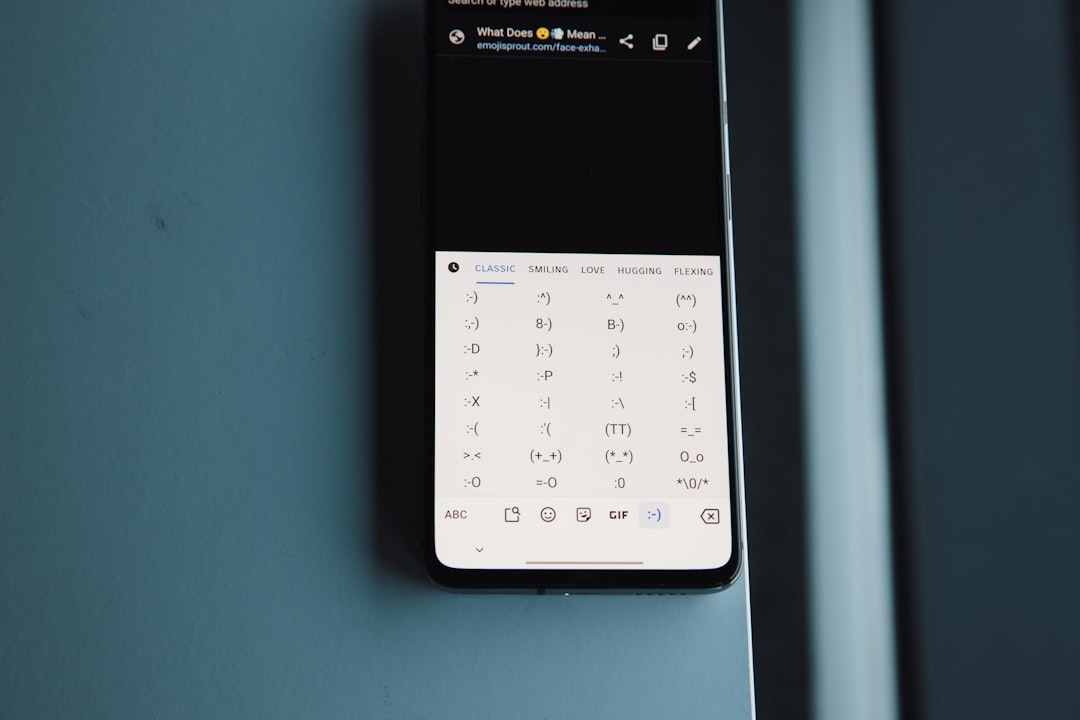
graphical user interface, calendar
Photo: Emojisprout emojisprout.com

Why a message doesn't reach the recipient immediately is a question that becomes particularly acute while traveling. You send an important question before entering a tunnel, transferring, or leaving town, and then stare at the screen for several minutes. It is unclear what happened: the connection was interrupted, the other person's phone is unreachable, or they simply aren't replying.

Such a pause does not always mean there is a problem on the recipient's end. A message goes through several stages: the phone must transmit it via the internet, the service must accept and process it, and the addressee's device must receive the data and display a notification. If the network is unstable at any point, a familiar dialogue turns into a waiting game. The most important thing at this moment is not to jump to conclusions and not to send the same text over and over again.

Below we will analyze which signs indicate a technical delay, how to assess the urgency of a response, and what to do if a decision needs to be made before arrival.

Indirect signs of message delay due to the network

The first indicator is the state of the message itself. If a pending icon, a spinning indicator, or another status persists next to it for a long time, this may mean the data has not yet left your device. When a message is marked as sent but no confirmation of receipt appears, the problem may be in the next stage: weak internet on the sender's or receiver's side, a temporarily unreachable phone, or app limitations due to battery settings.

Statuses are not absolute proof. Their meaning depends on the specific app, so it is useful to look not at a single icon, but at a combination of signs. For example, if your feed isn't updating, photos aren't loading, and pages only open after several attempts, it is most likely a connection issue. If everything else works but the pause occurred only in one conversation, you cannot rule out that the contact has not opened the chat yet.

Connection quality changes unnoticed while on the move. Your phone may switch from one network to another, lose internet in a tunnel, or catch a weak signal at a station. At the same time, the signal icon sometimes stays on the screen, even though data transmission is effectively interrupted. Therefore, the presence of signal bars does not guarantee that your message successfully went through.

There is another important sign: the time of sending. If the text appeared in the chat immediately after the internet was restored, it looks like a deferred transmission. If it is visible on your end but does not receive confirmation for a long time, the cause may be on the recipient's side. This doesn't allow you to know for sure if the person has seen the message, but it helps prevent confusing delivery delays with intentional silence.

Issues with sending messages during unstable internet are often amplified when a user minimizes the app, enables power saving mode, or attempts to download a large file in parallel. As a result, a short text waits until the connection becomes suitable for transmission again.

Checklist: how to assess response urgency during connection drops

First, determine exactly what you need: the fact that the message was received or a reply by a specific time. These are different tasks. If it is only important to convey information, it is enough to send it once and save the status confirmation. If you need a choice, coordination, or a risk warning, it is worth clearly stating a deadline: "Need a response before boarding" or "If you don't reply by 6:00 PM, I will choose the option myself."

Next, check your own connection. Open any web page or try refreshing another conversation. If data isn't loading anywhere, move a few meters, wait until you exit a dead zone, or toggle your connection mode briefly. You don't need to change all settings at once: sequential checking shows whether an action helped.

How do you know if a message is stuck due to poor connection? Check if its status changes after your internet is restored. If it does, a technical cause seems plausible. If the status does not change, the app can be closed and reopened, but only after you have verified that the message did not appear in the chat as a duplicate. Otherwise, there is a risk of creating duplicates.

Also, estimate the cost of waiting. For a casual question, a pause while traveling does not require urgent measures. For meetings, safety, payments, or route changes, it is better to immediately prepare a backup communication channel—for example, a short call or a pre-agreed notification method. This is not a reason to panic: you are simply reducing dependency on one unstable connection.

The most common mistake is to send "Did you get it?" five times and then add a few more clarifications. When the network is restored, the messages may arrive in quick succession, lose context, and put pressure on the recipient. Resending is acceptable if the first text clearly did not send and you have verified it is not in the chat. In all other cases, it is better to write one short clarification with new information.

What to do if you need an answer before arrival

Formulate the task so the person can answer with one word or choose an option. Instead of a long explanation, try: "Are we meeting at entrance A or B? Answer by 3:20 PM." A short message is easier to transmit over weak internet and easier to read when the phone is back online.

If a reply does not come, do not attribute intention to the pause. Why doesn't a reply come for a long time in a conversation? The recipient might be in the subway, driving, in a meeting, or in a zone where their device is not receiving data. Technical delay and human unavailability look the same from your side, so you should only draw conclusions after seeing additional signs.

When a decision cannot be postponed, send one calm message with a plan: "If I don't receive an answer before arrival, I will do this." This simultaneously communicates urgency, removes the need to guess, and does not turn the conversation into a stream of reminders. After that, check your connection at a pre-selected moment, not every minute.

It is useful to agree with loved ones and colleagues in advance on a simple rule for trips: no reply by a certain time is not considered a confirmation, and important changes are followed up with a different method. This rule is especially helpful in family and local chats where anxiety quickly spreads to all participants.

Reliable communication is not a promise of instant delivery anywhere along your route, but a clear picture of what is happening. At PING, we focus on clear statuses: the user should quickly understand what is happening with a message. This is a logical approach for situations where the connection may be interrupted: a clear signal helps you choose an action rather than guessing why the other person is silent.

If a message is important, send it once, set a deadline for the response, and decide in advance what you will do in case of silence. This way, even an unstable network will remain a technical hurdle, not a source of unnecessary stress.

Additional context on this topic is provided in the article Why a person doesn't reply in a chat for a long time and it's not immediately visible.

Frequently asked questions

Why is the message sent but the recipient doesn't see it?

Sending status does not always mean the recipient already sees the text. With weak internet, data may be delayed on the sender's side, in transit, or on the receiver's end.

How to distinguish a technical failure from a non-reply?

Check if other chats and pages are working, and if the status changes after restoring the connection. If everything else works, the reason may be the recipient's busyness, not a technical glitch.

Should I resend the message if it is taking a long time to deliver?

Usually, no. First, ensure that the original text has not been sent. Resends may arrive simultaneously and cause confusion in the correspondence.

PingBook

Следующие истории PingBook